Easy Batch Customizer Pro
🎨 Easy Batch Palette Customizer Pro
Stop wasting hours in Photoshop recoloring sprites one by one.
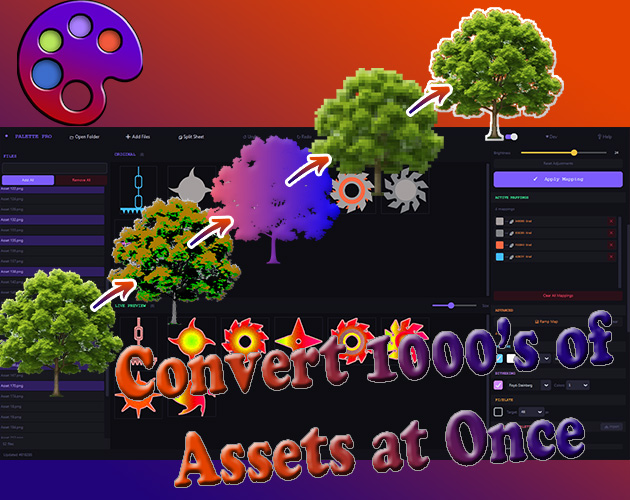
Easy Palette Customizer Pro is a desktop tool built for game developers and asset pack creators. Load an entire folder of PNG sprites, remap colors across all of them simultaneously, and export everything in one click. Turn a single asset pack into 10 different color themes in minutes instead of days.
✨ What Makes This Different
Most recolor tools swap one color for another. This tool lets you replace colors with gradients, tiling patterns, and blend modes — per color, per sprite, across hundreds of files at once. No other tool on the market does this.
🔧 Core Features
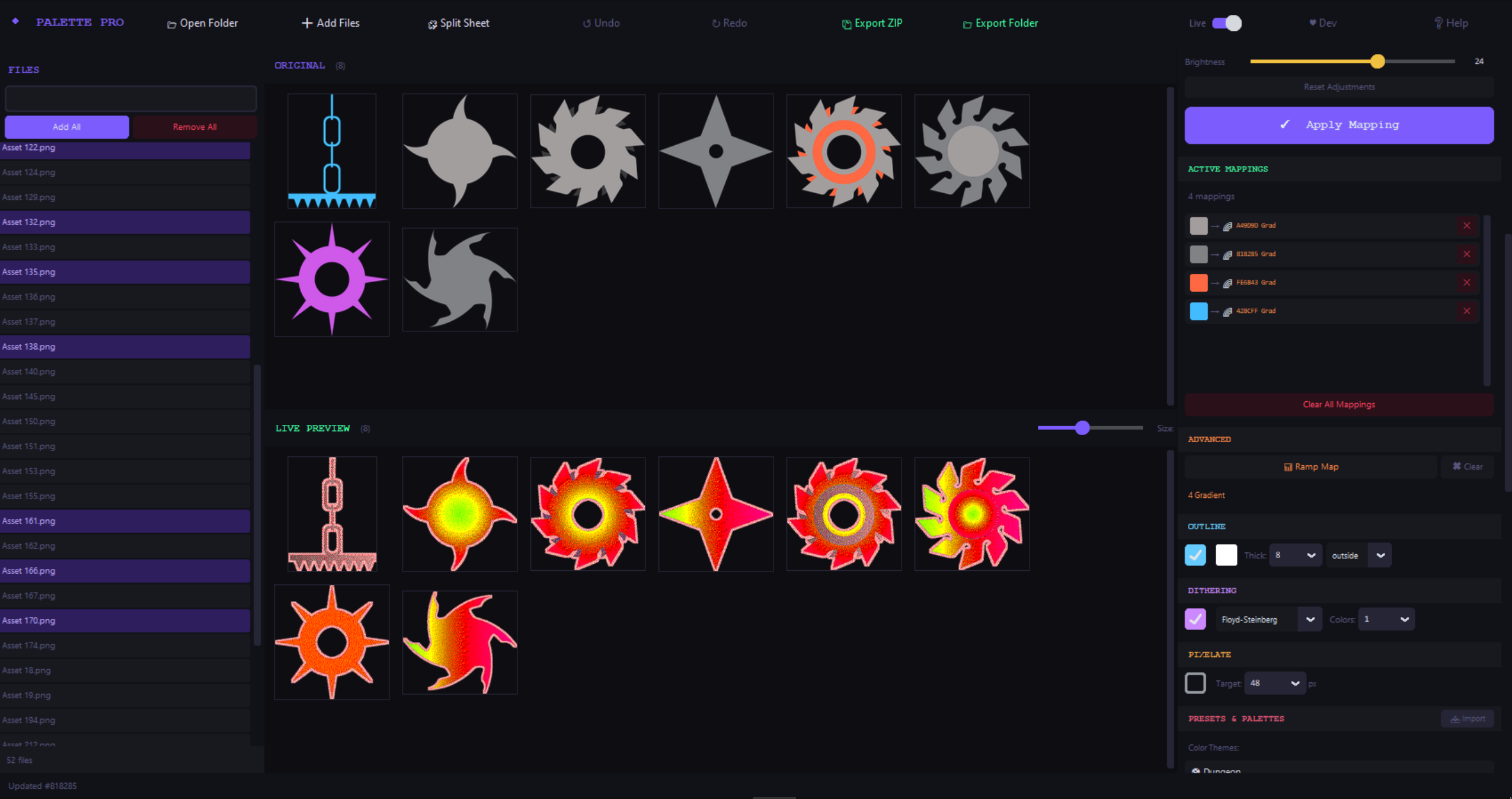
Bulk Color Replacement
- Load hundreds of PNGs at once (drag & drop or folder scan)
- Click any pixel to select a source color
- Replace with solid color, multi-stop gradient, or tiling pattern
- Adjustable tolerance catches similar shades automatically
- Every mapping has its own blend mode (Multiply, Screen, Overlay, and 6 more)
🌈 Gradient Fill
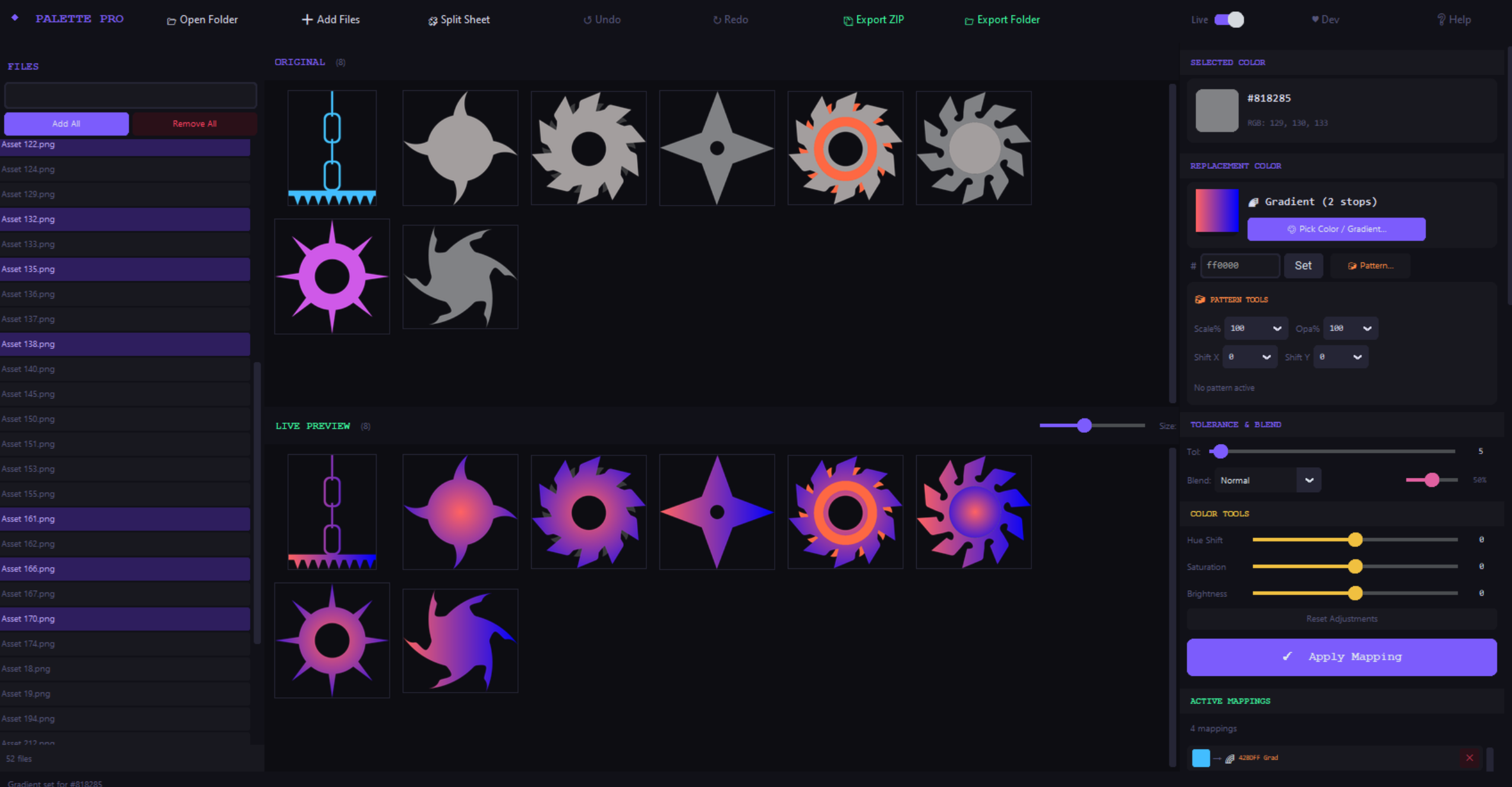
- Replace any flat color with a 2–4 stop gradient
- Horizontal, vertical, diagonal, or radial direction
- Built right into the color picker — pick a color or design a gradient from the same window
- Turns flat grey into metallic sheen, flat blue into sky gradients
🧱 Pattern Fill
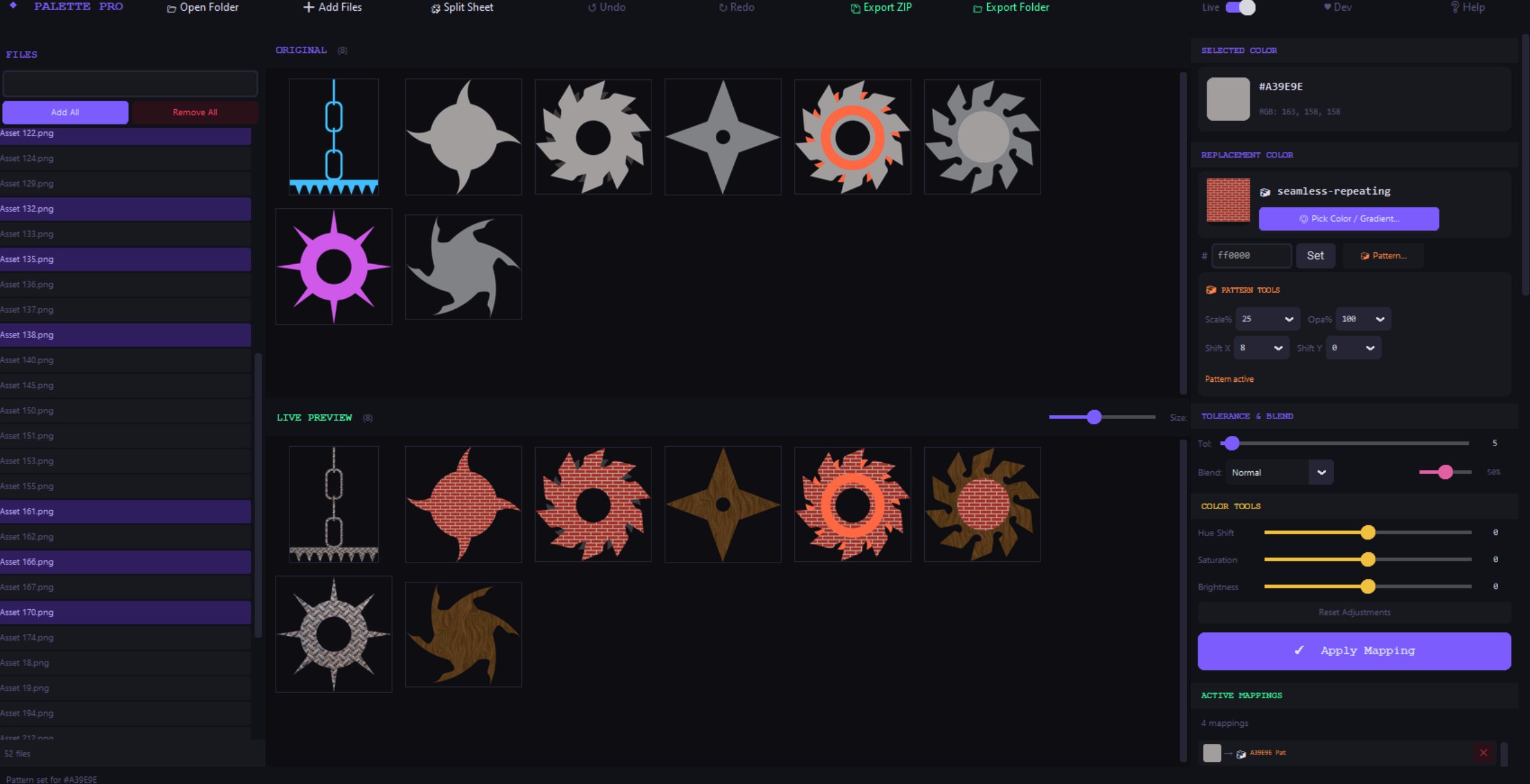
- Replace a color with any tiling texture PNG
- Adjustable scale, opacity, and X/Y shift
- Replace grey with brick, wood, fabric, or any texture you want
📊 Ramp Map
- Map luminance to color: dark pixels → one color, mid → another, bright → another
- Full tonal remap in one operation
- Visual editor with color picker per stop
🎮 13+ Built-in Presets
- Dungeon, Sci-Fi, Fantasy, Horror, Nature, Ocean, Sunset, Ice, Halloween, Cherry Blossom, Neon, Desert, Galaxy
- Presets are palette-aware — they analyze YOUR sprites and map the actual colors found in your images
- One click to completely retheme an entire asset pack
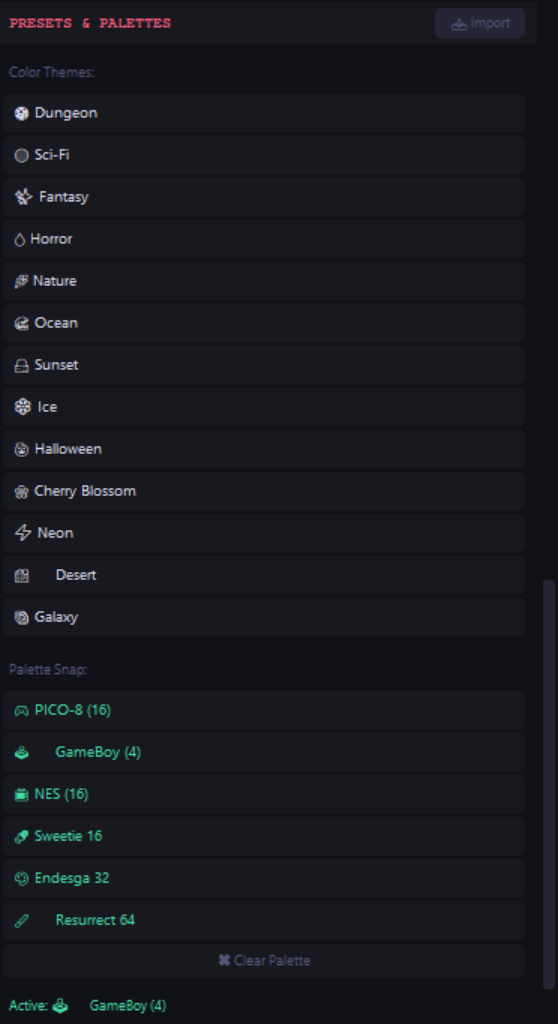
🎨 Palette Snap
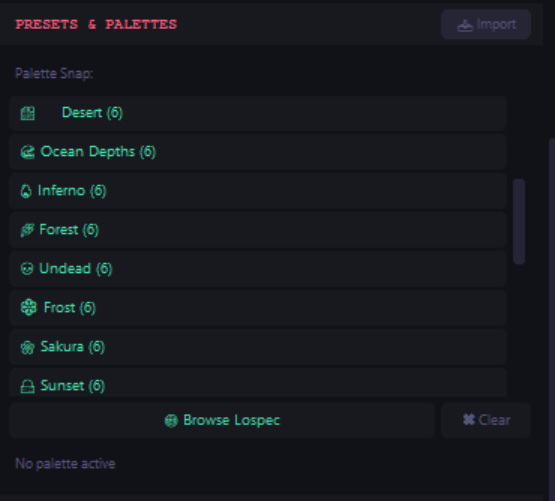
- Snap all colors to classic palettes: PICO-8, GameBoy, NES, Sweetie 16, Endesga 32, Resurrect 64
- Import custom palettes from .hex, .gpl, .pal, .txt, .json, or even .png files
- Drop in any palette image and it auto-extracts the colors
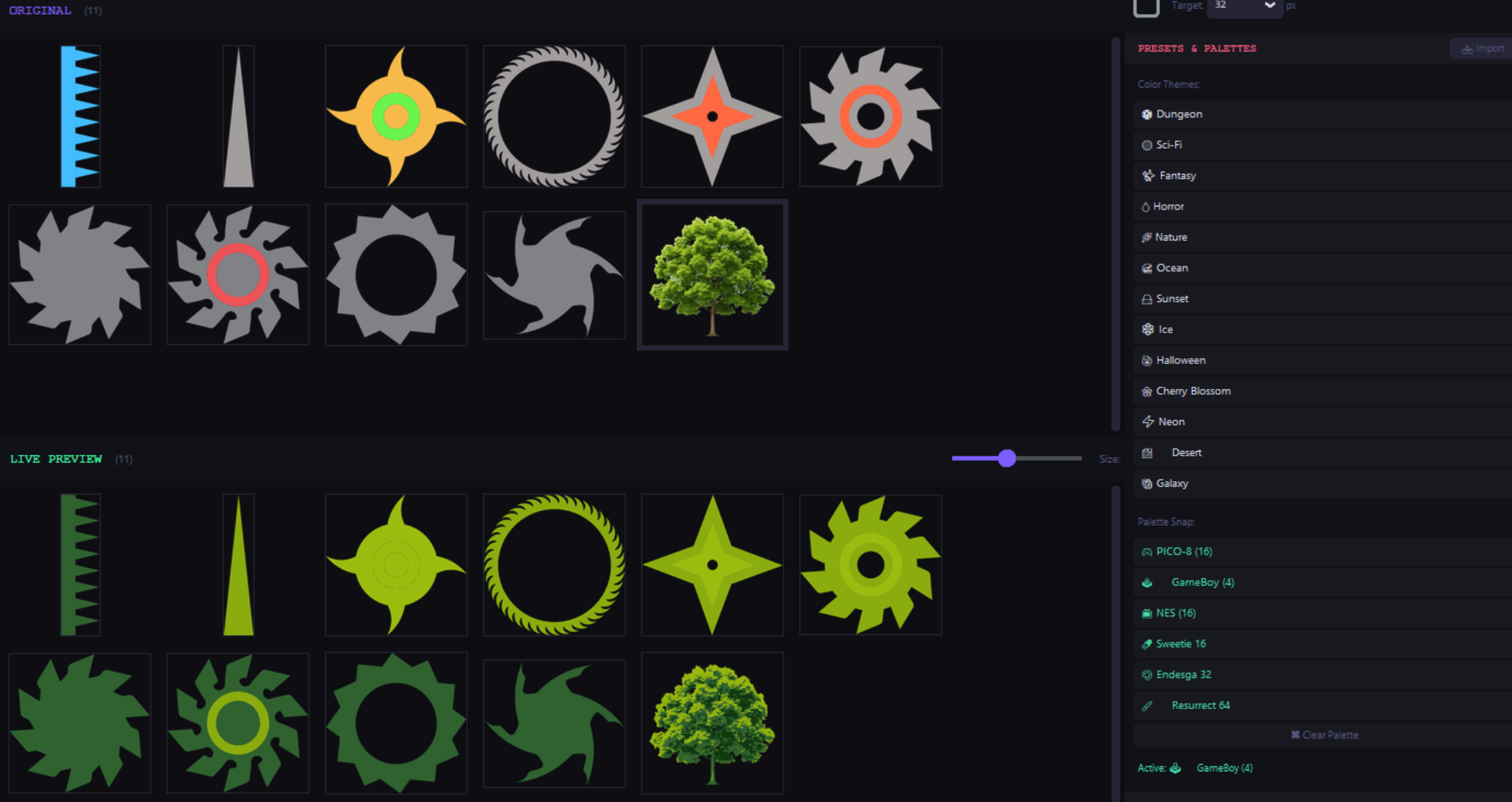
✏️ Outline Generator
- Add colored outlines around every sprite
- Outside, inside, or between modes
- Adjustable thickness (type any value or pick from presets)
- Canvas auto-expands so edge sprites get full outlines
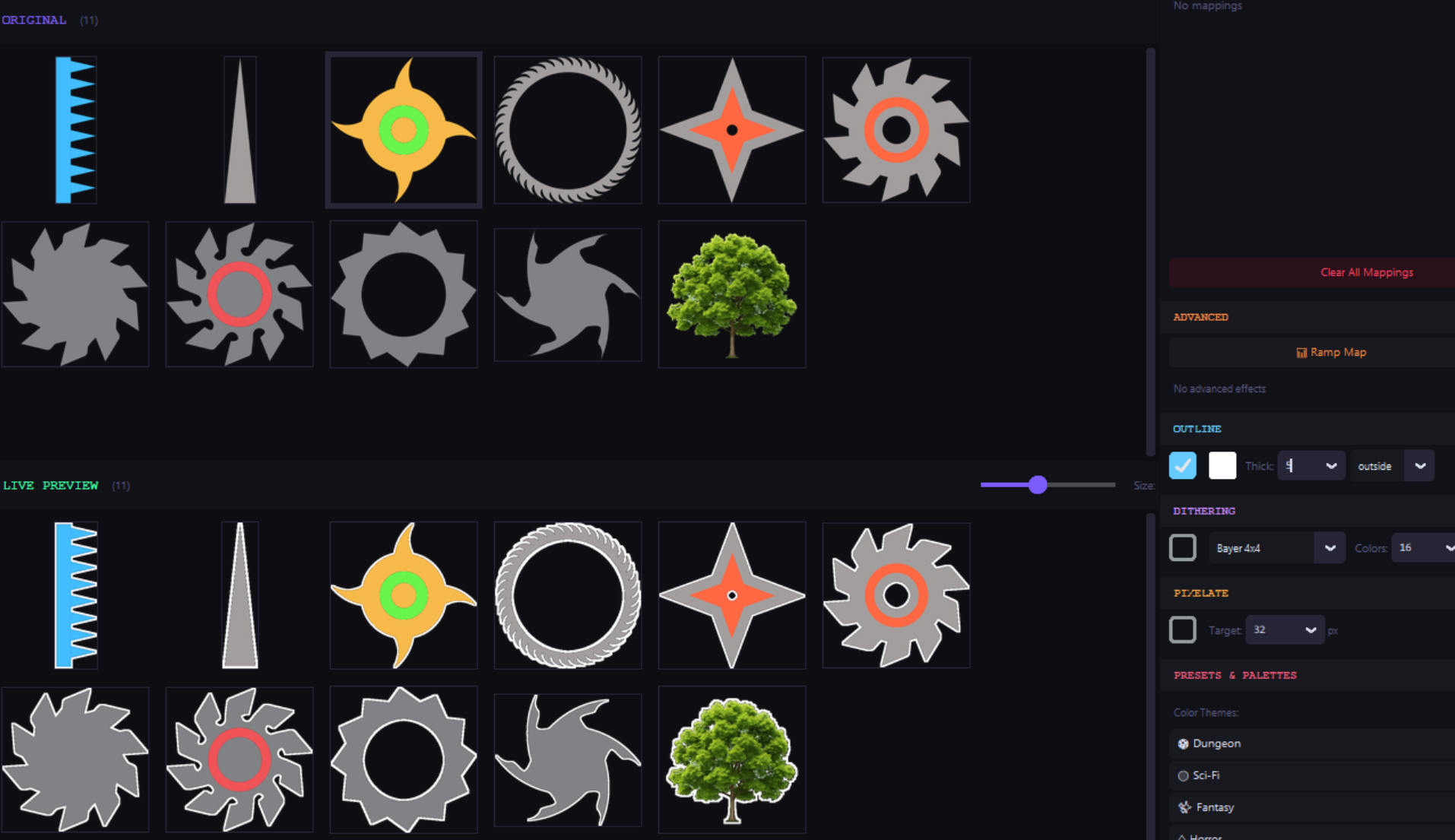
🧩 Pixel Art Converter
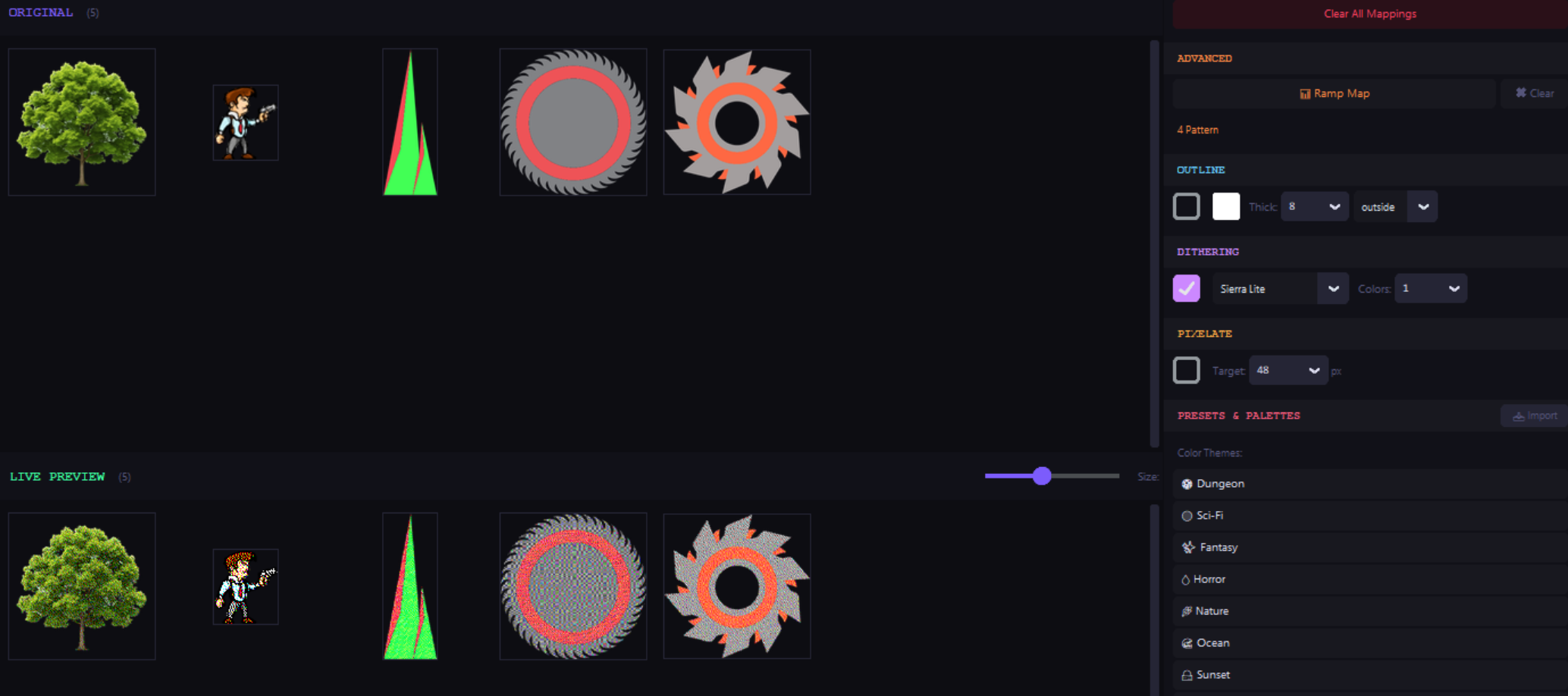
- Convert any image to pixel art at any target resolution of your choice
- Edge-aware downsampling preserves thin features like chains, spikes, and wires
- Optional palette snapping for authentic retro look
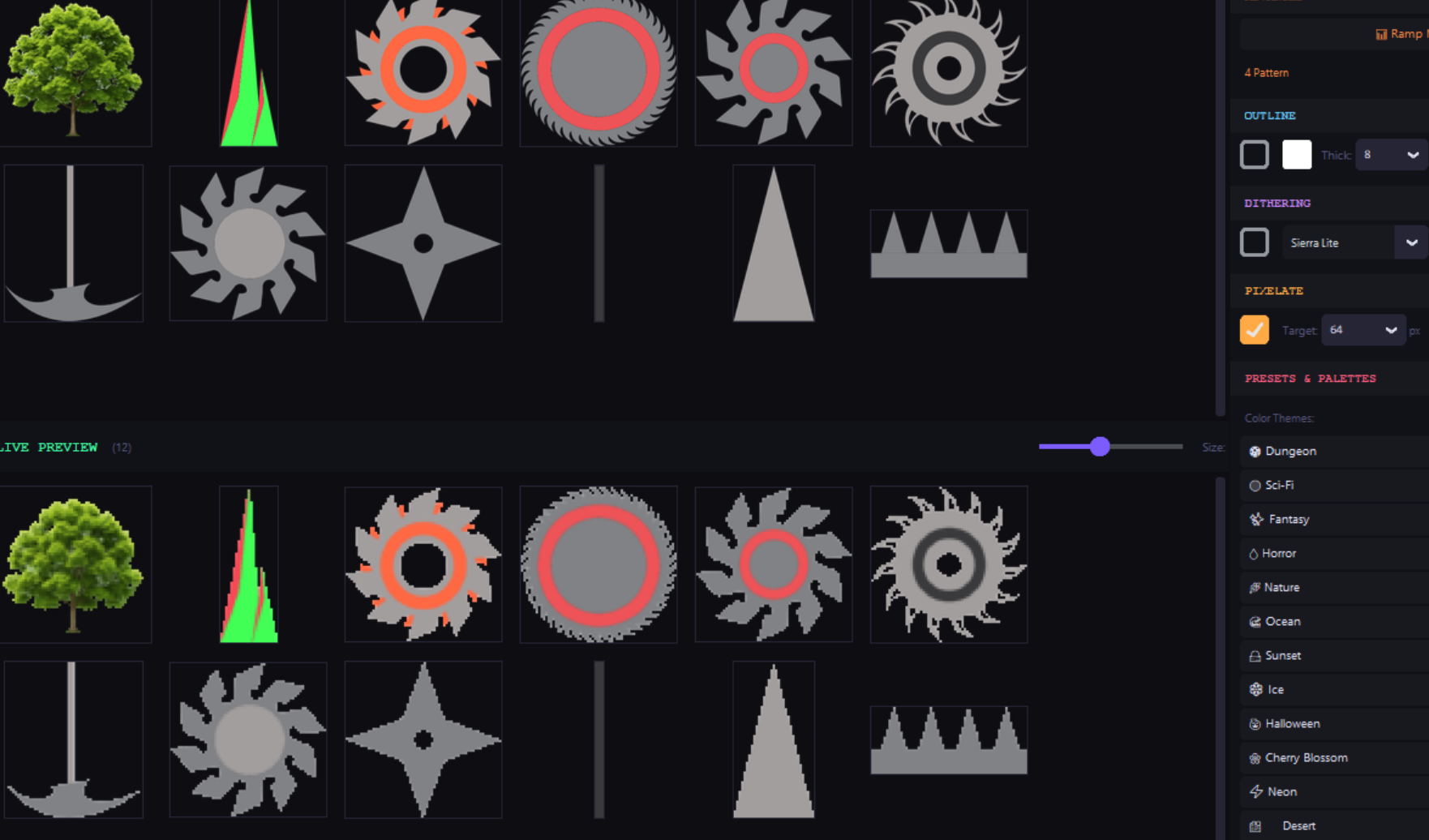
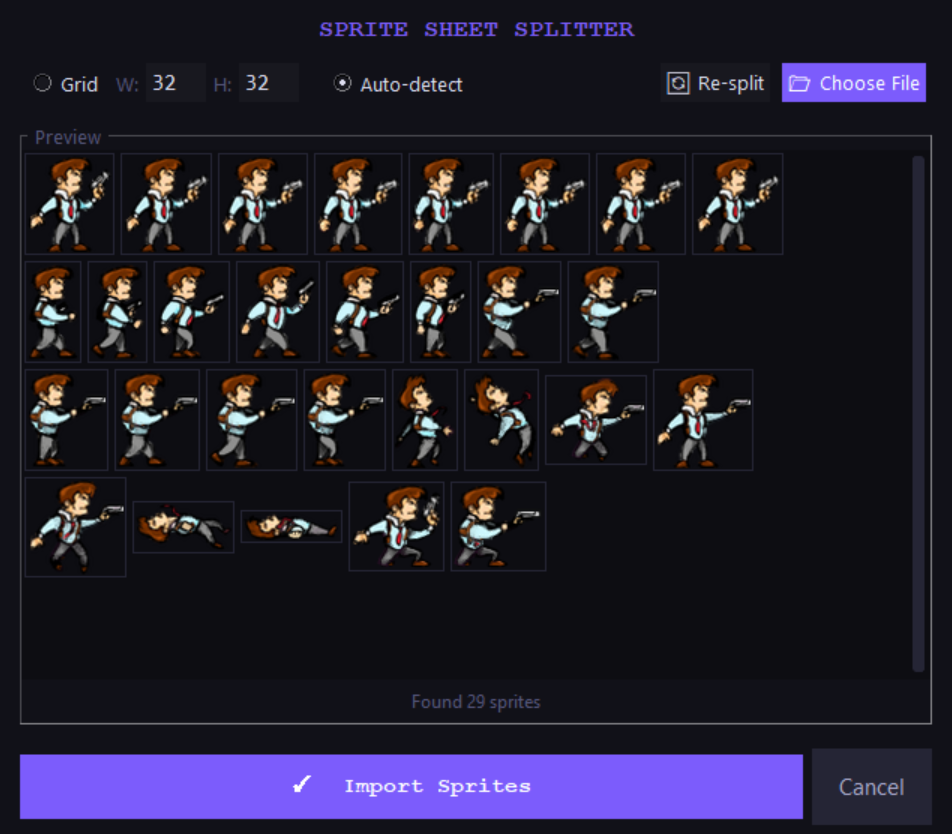
🧩 Sprite Sheet Splitter
- Import a sprite sheet and split it into individual sprites
- Grid mode (specify cell size) or auto-detect by transparency
- Preview before importing — see every split sprite as a thumbnail
- Stays on top of main window so you don't lose it
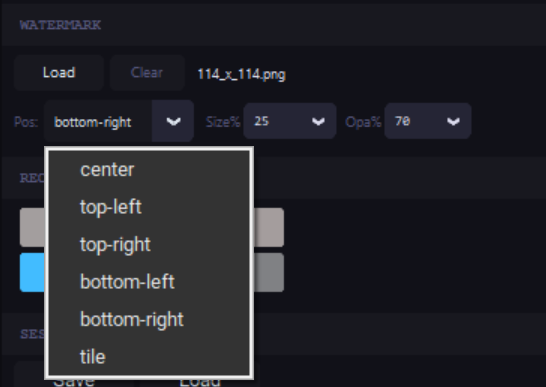
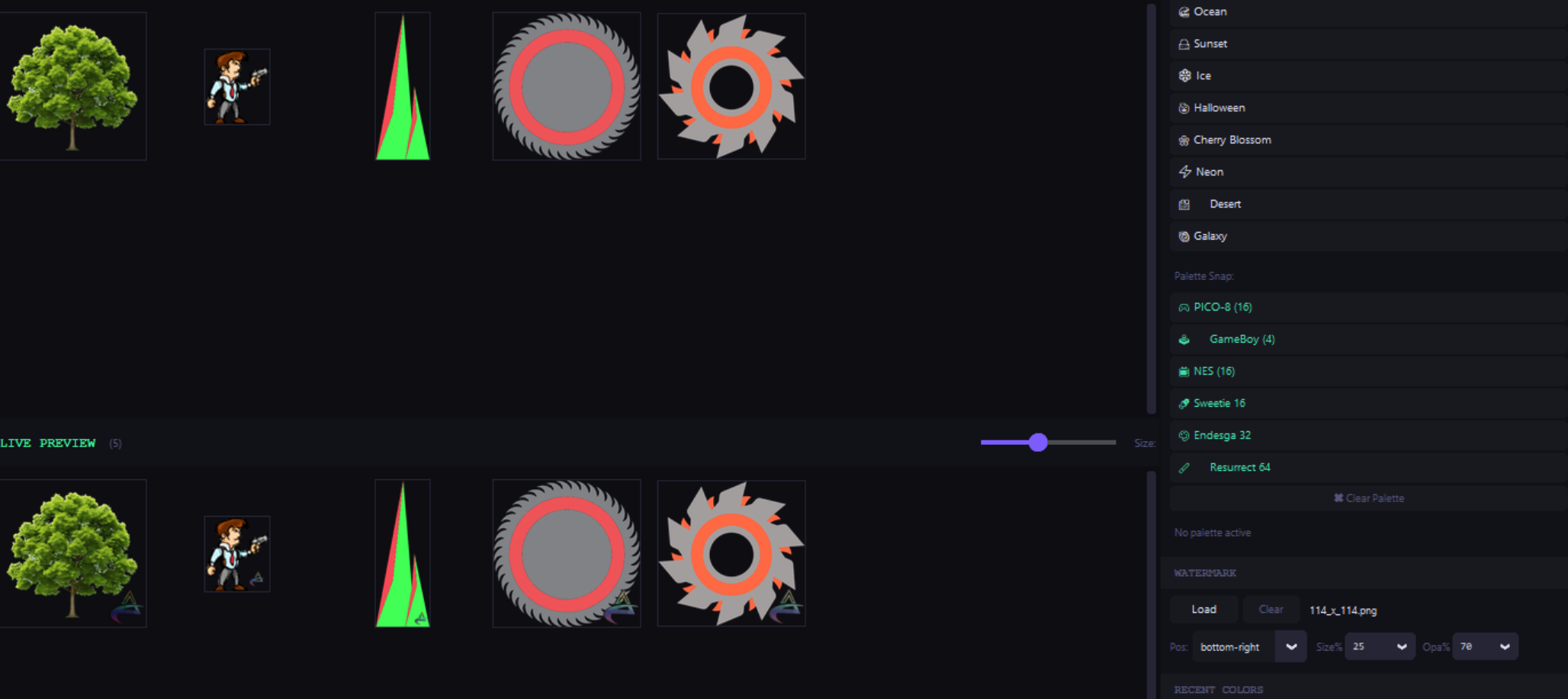
💧 Watermark
- Overlay any PNG as a watermark on all sprites
- Adjustable position (center, corners, or tile), size, and opacity
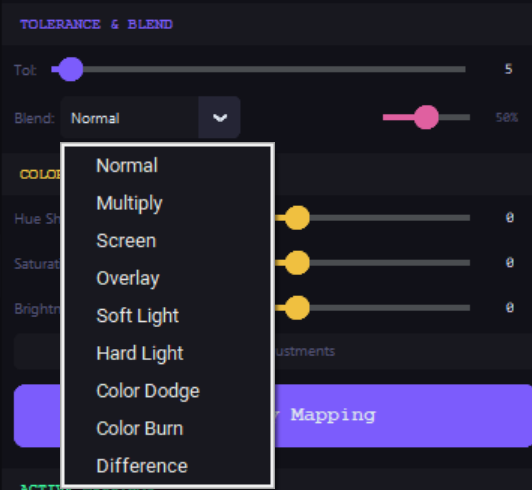
🔄 Blend Modes (Per Color)
- Normal, Multiply, Screen, Overlay, Soft Light, Hard Light, Color Dodge, Color Burn, Difference
- Each color mapping stores its own blend mode and opacity independently
- Blend uses original pixels for masking — works correctly even after remapping
🔲 Professional Dithering
- 9 algorithms: Bayer 4×4, Bayer 8×8, Floyd-Steinberg, Atkinson, Burkes, Sierra, Stucki, Sierra Lite, Jarvis-Judice-Ninke
- Adjustable color count
- Bayer modes are instant (fully vectorized), error diffusion modes optimized for sprite sizes
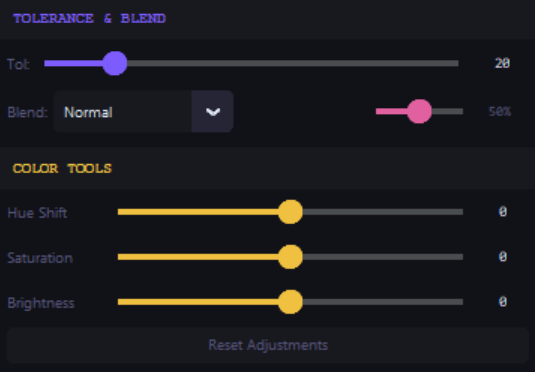
Color Tools
- Hue shift, saturation, and brightness sliders with live preview
- Full HSV color picker with eyedropper (pick any color from your screen)
- Recent colors palette (12 swatches)
Workflow
- Undo/Redo (Ctrl+Z / Ctrl+Y) for all mapping operations
- Save/Load sessions as JSON — resume work later
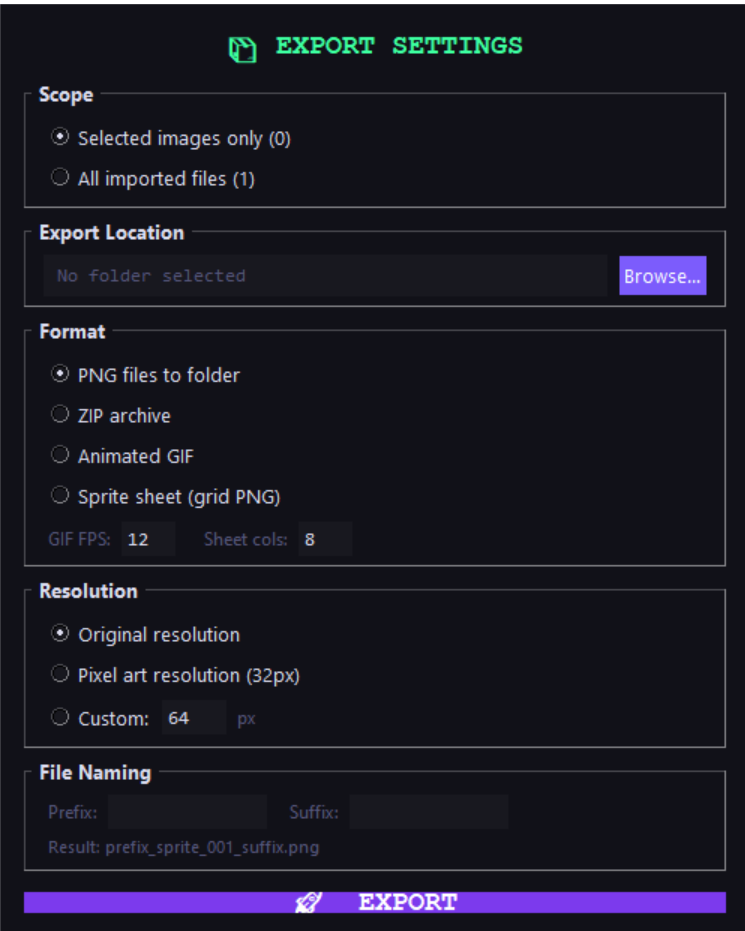
- Export as ZIP or to folder
- Export selected images or apply mappings to ALL imported files at once
- Click any active mapping row to re-select it for editing
Whats new in update v3.1
Added Proper Export Settings:
Added way more Palettes + Browse Lospec:
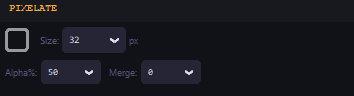
More Advance pixelator :
🎯 Who Is This For?
- Indie game developers who need multiple color variants of their sprites
- Asset pack sellers on Itch.io who want to ship 5–10 color themes with every pack
- Pixel art creators who want to experiment with palettes quickly
- Game jam participants who need to recolor placeholder art fast
📦 What You Get
- This tool, all future updates
Future Update Features (for v4.0 at $7.99)
- Multi-theme batch export
- Animation preview (detect sequential frames, play them at adjustable FPS)
- Export as GIF/spritesheet (recombine sprites into sheets or animated GIFs)
- Before/After split slider
- Color extraction panel (visual grid of all colors across all images)
- Layer-aware processing.
- Let users tag images as "base", "shadow", "highlight", "outline" layers. When you recolor, only affect the tagged layer types.
- Color harmony tools.
- variable outline
- Smart resize/upscale.
- A visual grid showing every unique color across all loaded images, sorted by frequency, with a count.
- 3d view for 3d texttures
📜 License Agreement – Easy Batch Palette Customizer Pro
By purchasing or using this software, you agree to the following terms:
✅ What You Are Allowed To Do
- Use this software for personal and commercial projects
- Create, modify, and export images/assets using the software
- Sell assets created with this software (including asset packs, games, and media)
❌ What You Are NOT Allowed To Do
- Resell, redistribute, share, or sublicense this software (in whole or in part)
- Upload or distribute the software on piracy sites or public file-sharing platforms
- Reverse engineer, decompile, or attempt to extract the source code
- Claim this software as your own or rebrand it
💻 License Scope
- This is a single-user license
- You may install and use the software on your personal devices
- For team or multi-user use, each user must purchase their own license
Built by Rehan Faisal — @RehanFaisall
Purchase
In order to download this tool you must purchase it at or above the minimum price of $5.93 USD. You will get access to the following files:
Development log
- What's new in v3.1 of Easy Batch Customizer Pro84 days ago
- Easy Batch Palette Customizer pro98 days ago
Leave a comment
Log in with itch.io to leave a comment.