Easy Batch Customizer Pro
A downloadable tool for Windows
EASY BATCH CUSTOMIZER PRO
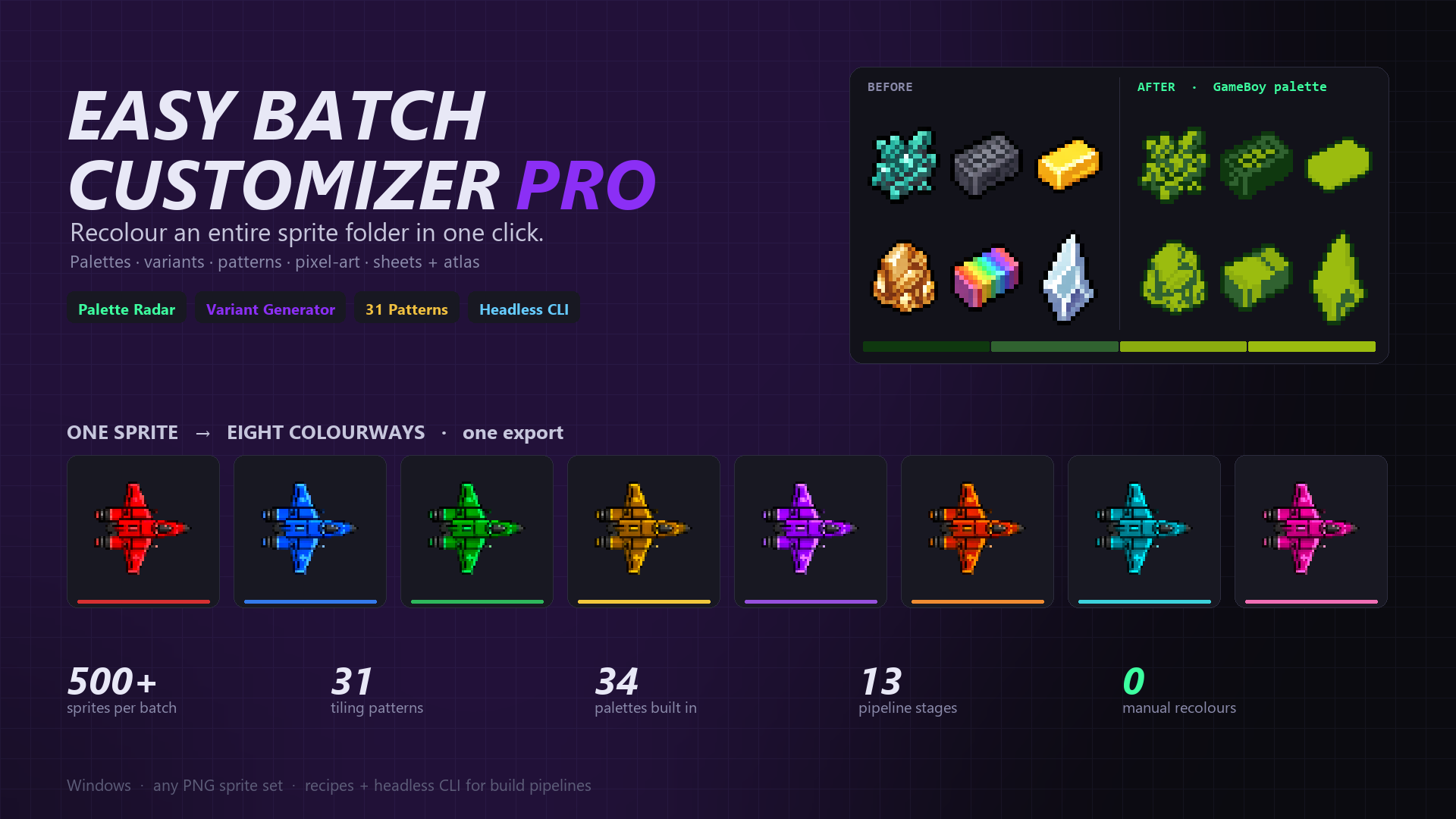
Recolour an entire sprite folder in one click. Palettes, variants, patterns, pixel-art and sheets — across the whole batch, live.
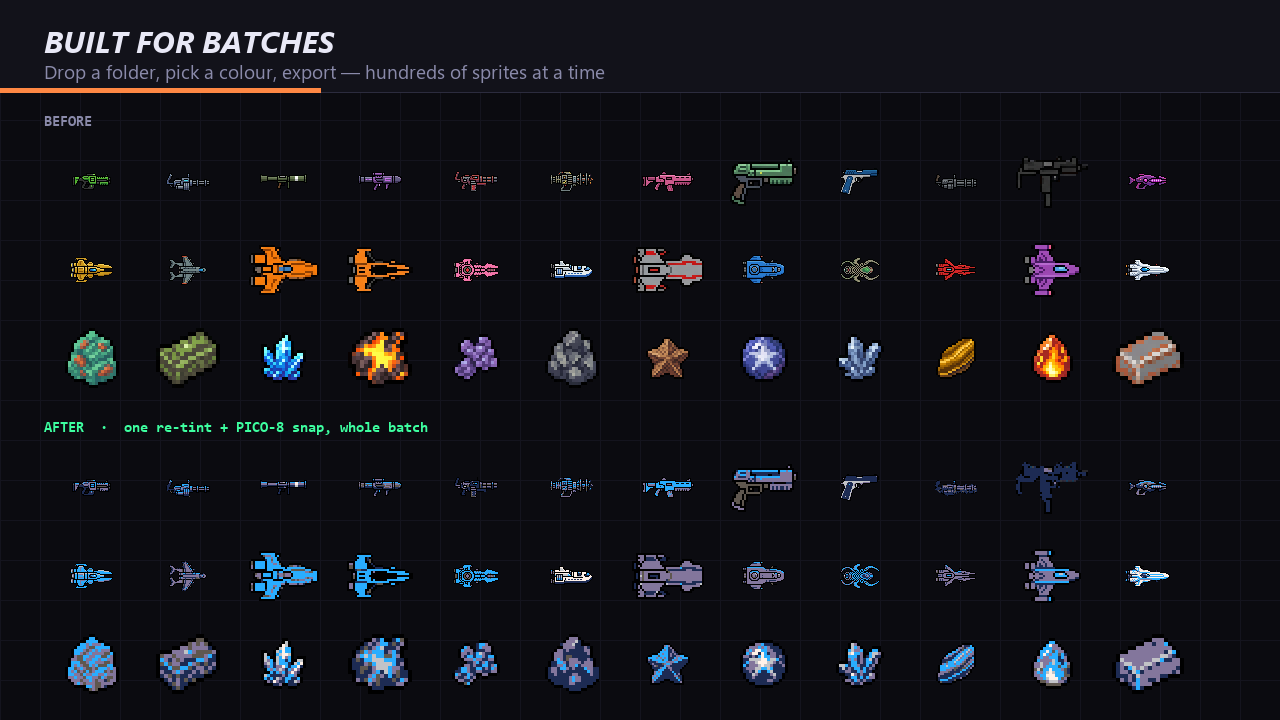
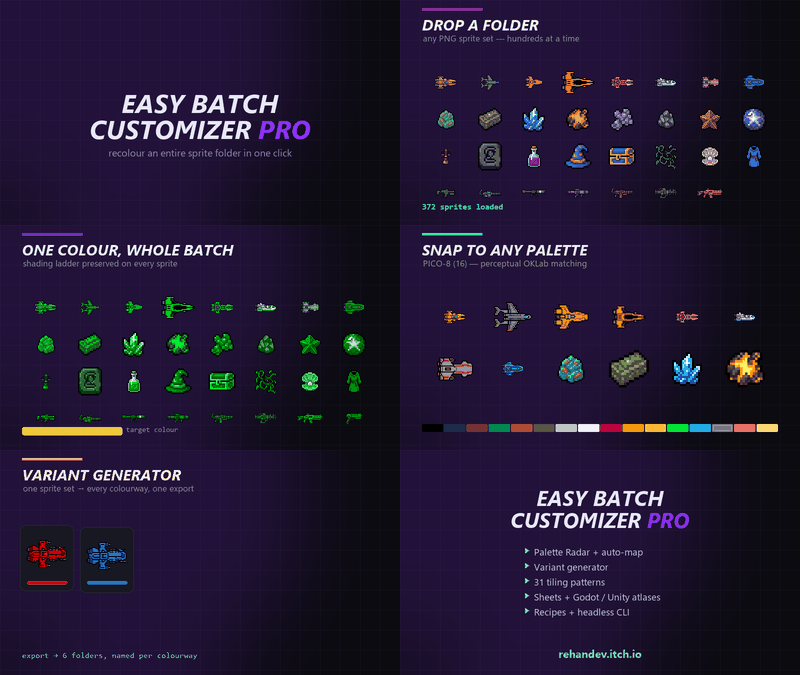
Easy Batch Customizer Pro does the tedious half of sprite work. Drop in a folder of PNGs — 20 or 500 — pick a colour, and the whole set is recoloured, palette-matched, outlined and exported while you watch. Everything updates live across the entire batch, not one file at a time.
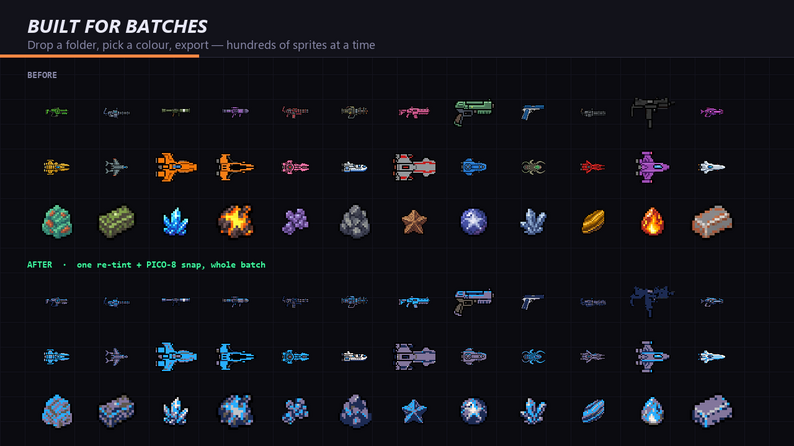
It's built for the moment your art is finished and you still need six team colours, a PICO-8 version, a 2× sheet for the store page, and an atlas your engine can read.
How it works
See it working
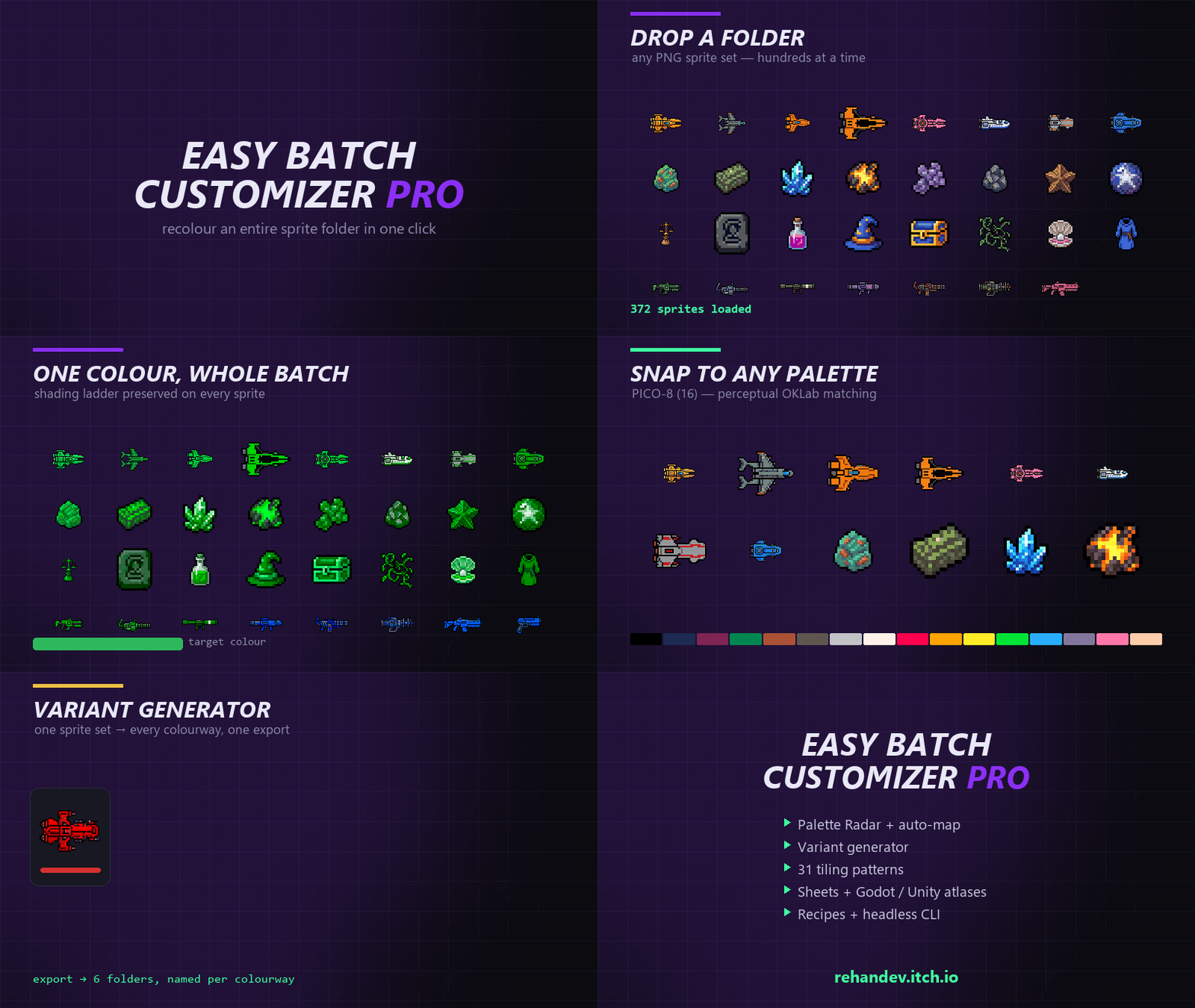
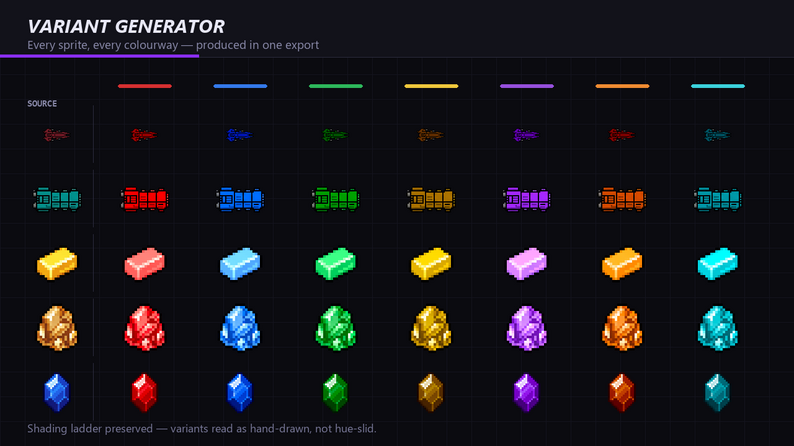
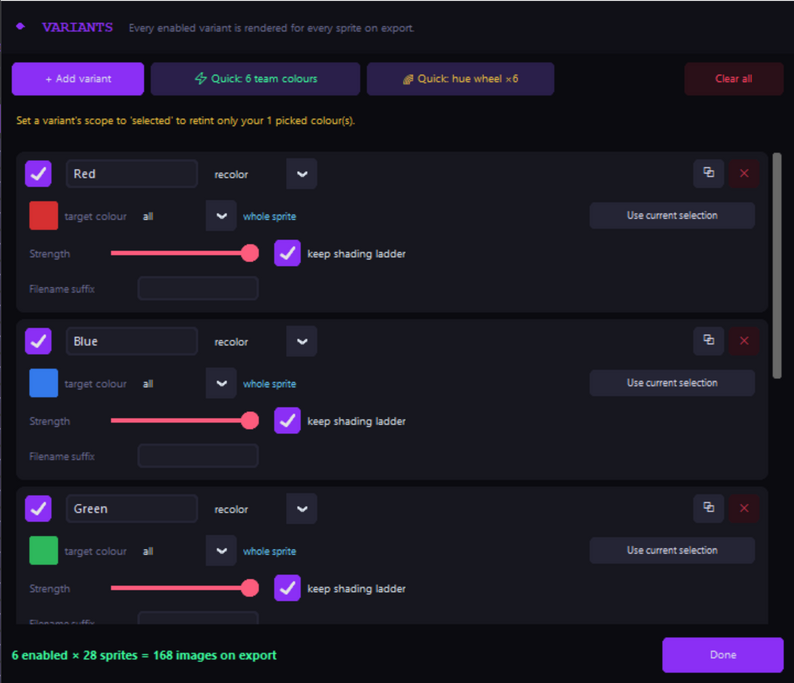
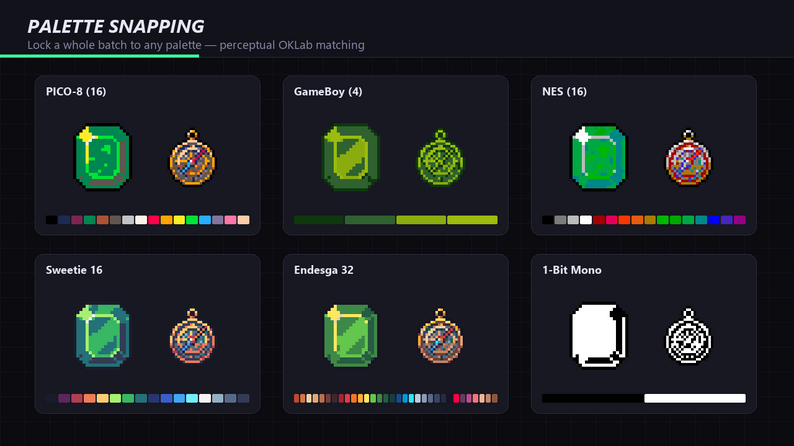
What it does
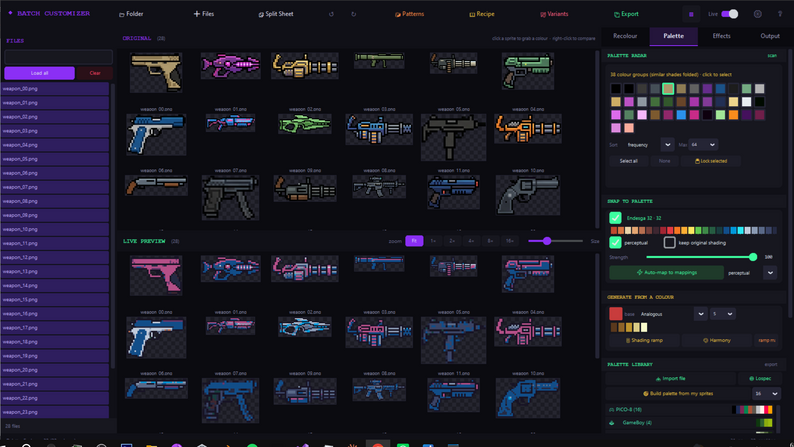
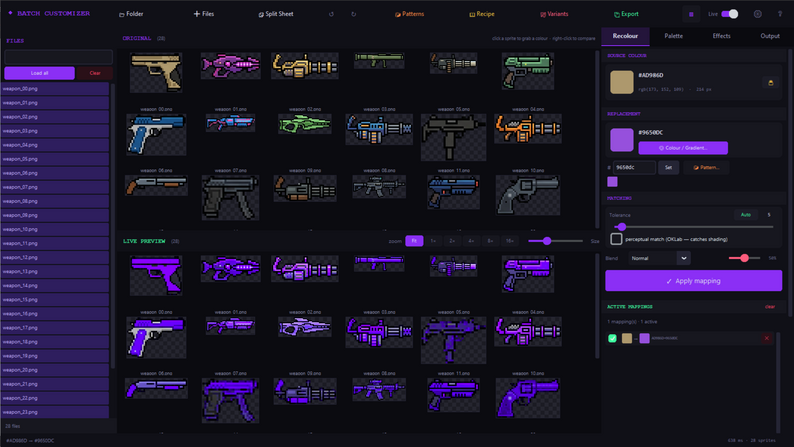
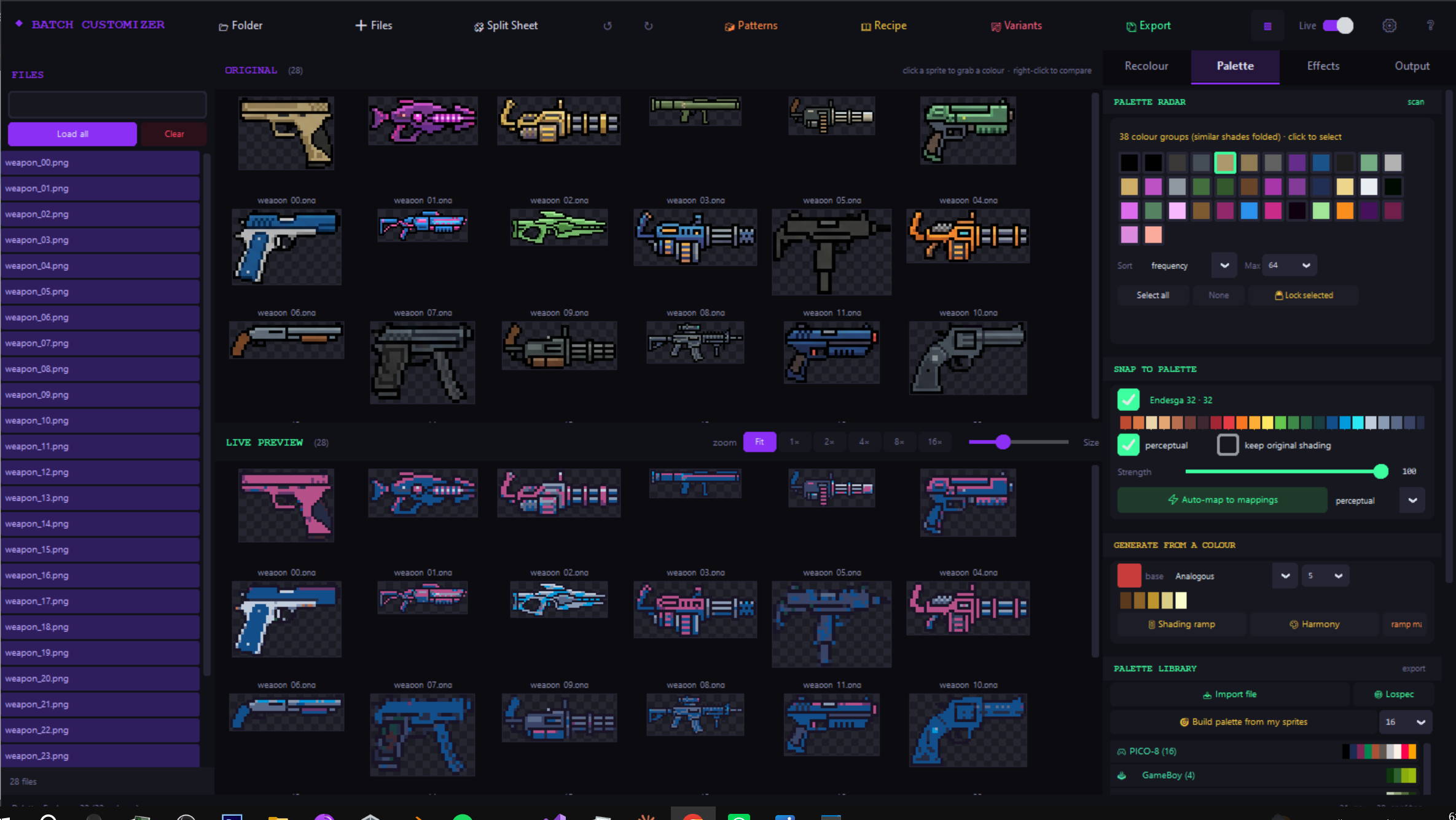
Palette Radar. Scans every loaded sprite and lists every colour in the batch, ranked by how much of the art it actually covers. Near-identical shades from anti-aliasing are folded into groups so the list stays readable. Click a swatch to select, ctrl-click to multi-select, right-click to lock it. Locked colours survive global effects and palette snapping — your outlines stay pure black while everything else shifts.
Recolouring, four ways.
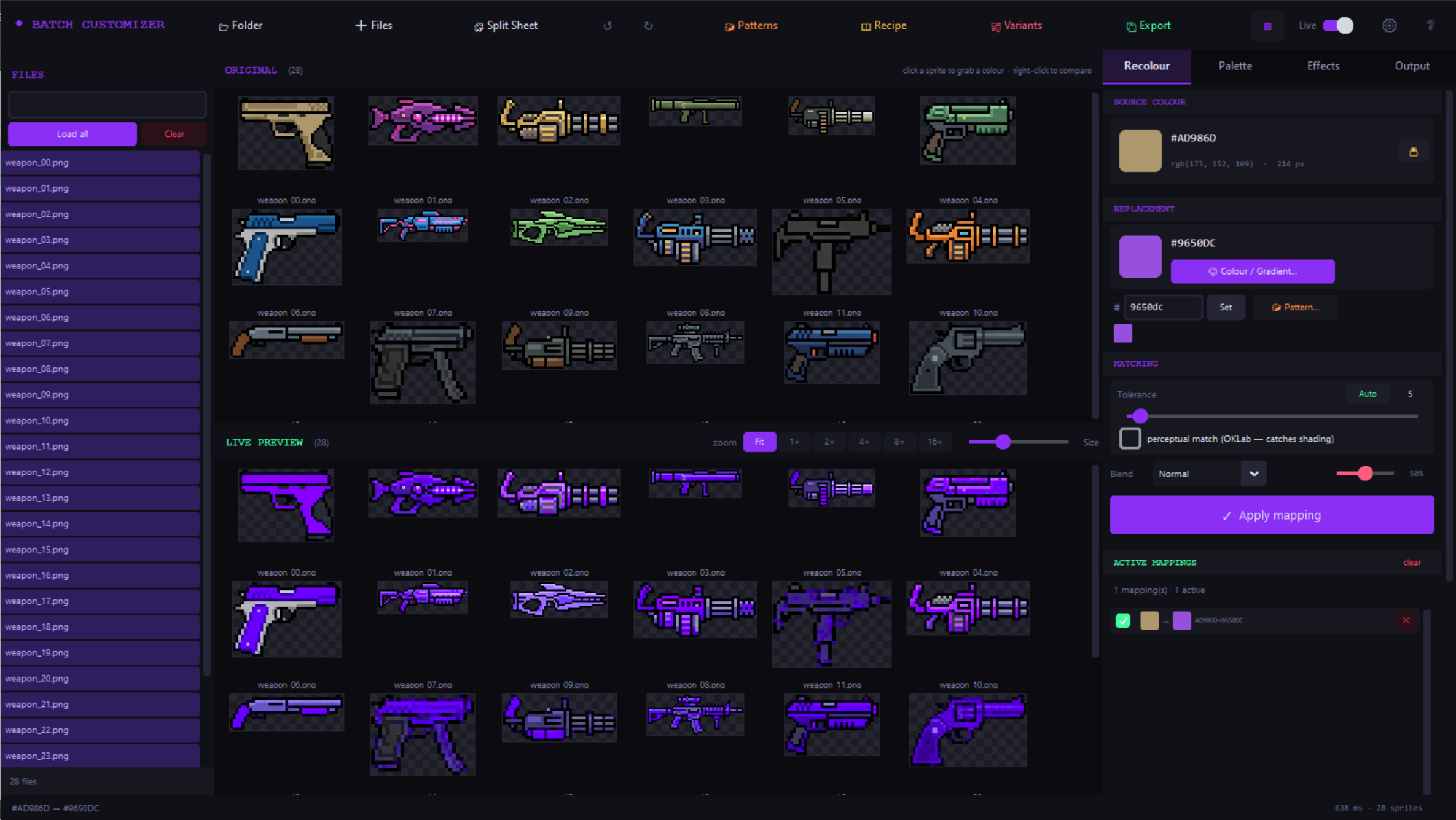
- Colour mapping — source to replacement, with tolerance and an Auto button that picks a sensible one for your art.
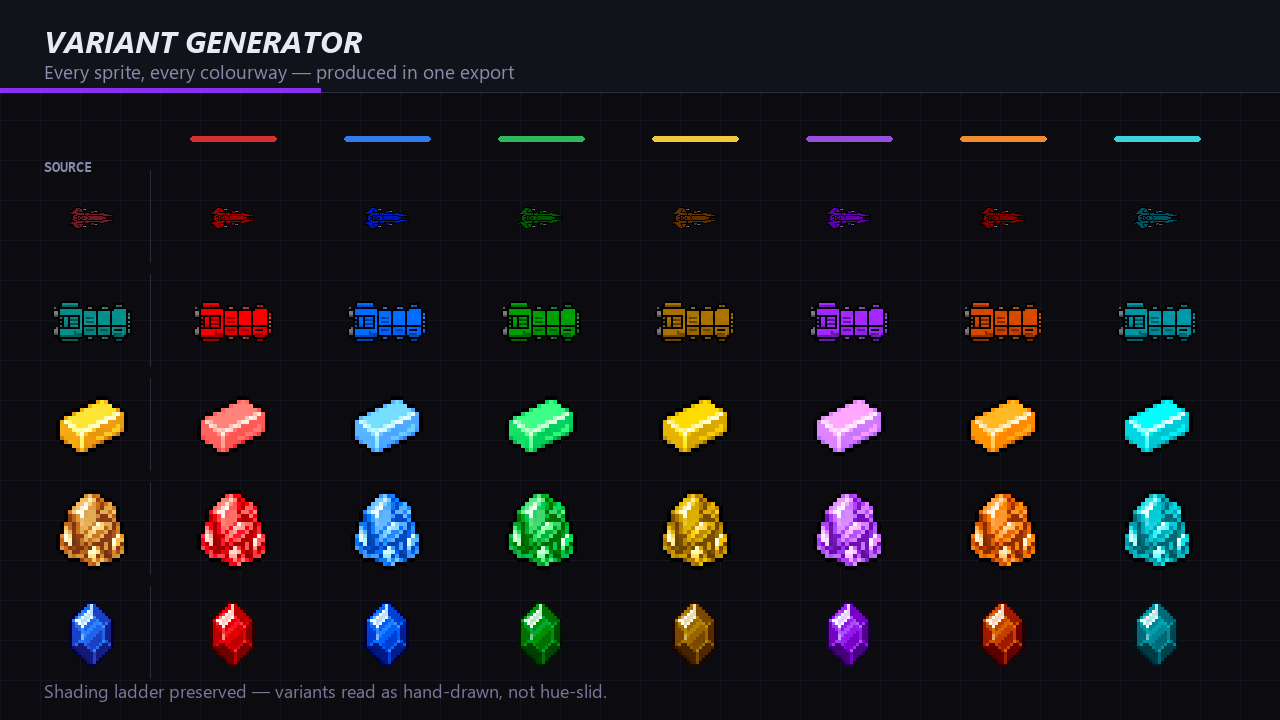
- Re-tint — shift an entire sprite toward a target colour while preserving its shading ladder. This is the one that works on anti-aliased art, where a sprite can hold a different colour in nearly every pixel.
- Gradients — replace a colour with a multi-stop gradient in 7 directions, including radial and conic.
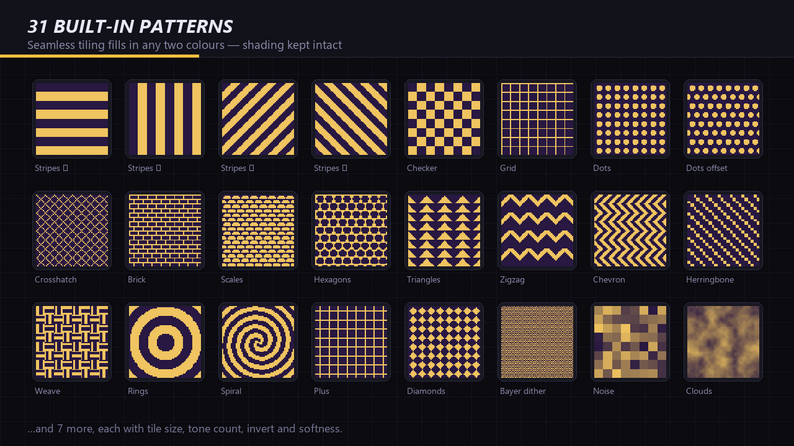
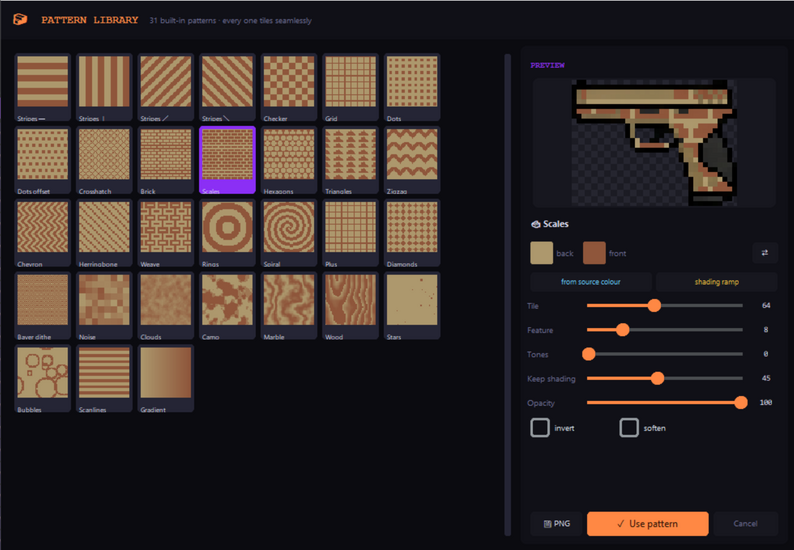
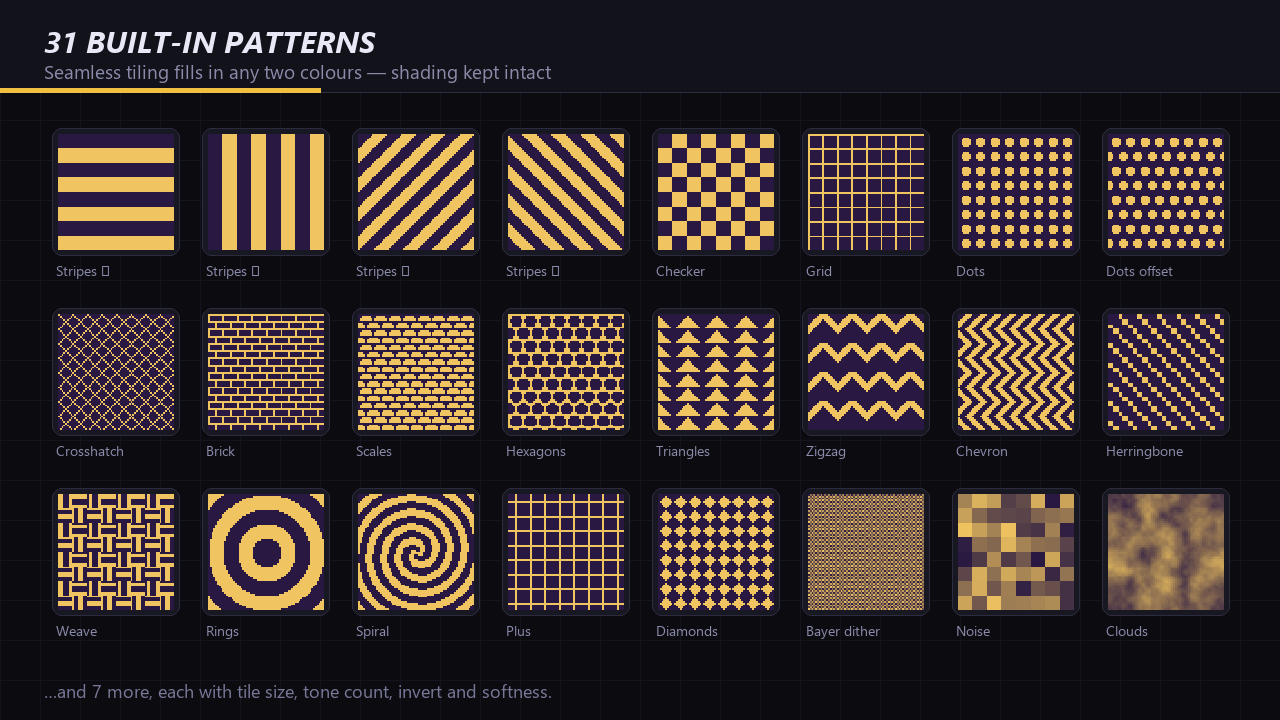
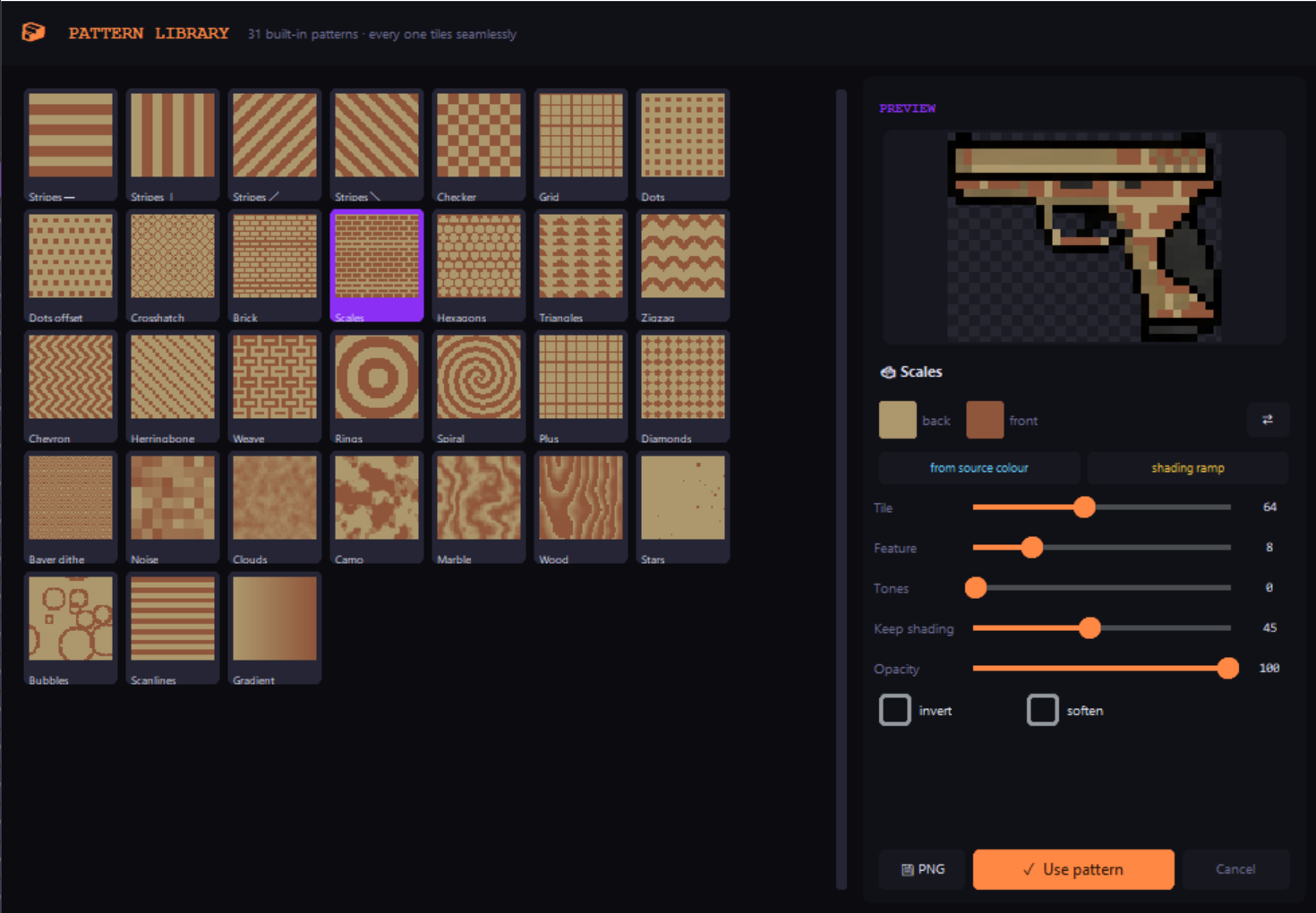
- Patterns — fill a colour with any of 31 built-in tiling textures.
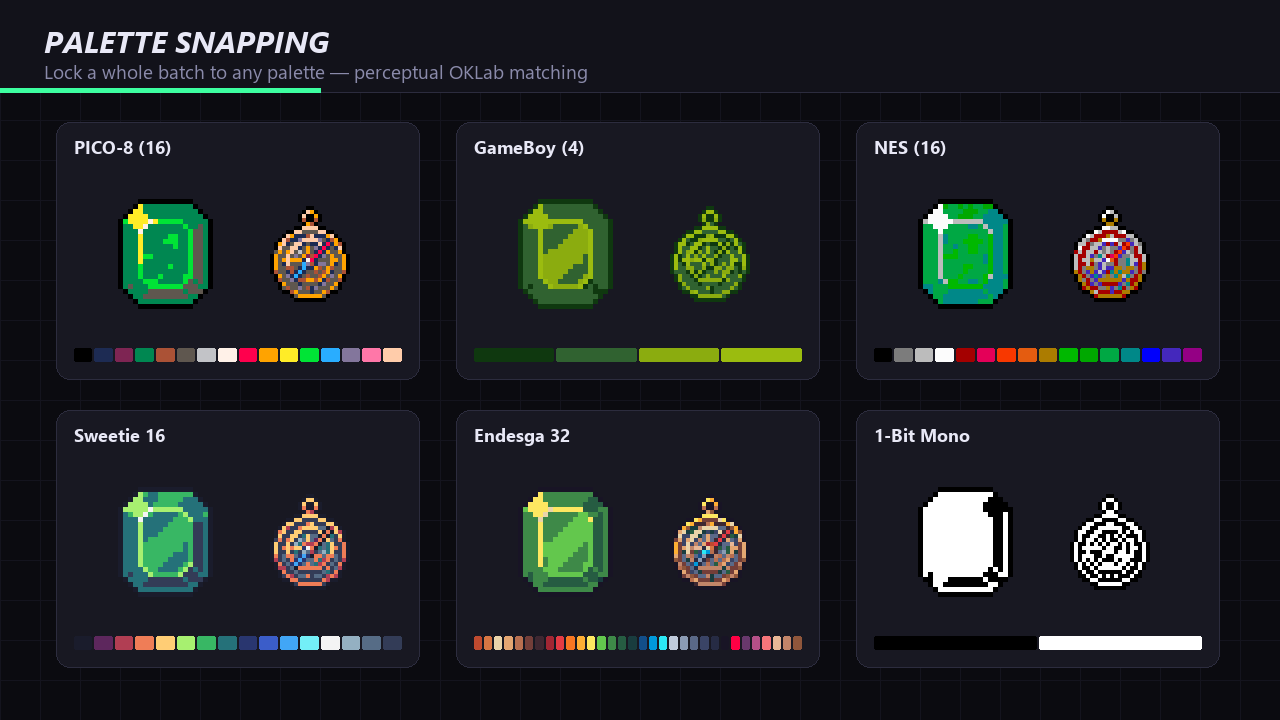
Optional perceptual matching (OKLab) catches shading ramps that plain RGB tolerance walks straight past, and 14 blend modes apply per mapping.
Palettes.
- 34 built in — PICO-8, GameBoy, NES, CGA, ZX Spectrum, Sweetie 16, Endesga 32, Resurrect 64, 1-bit and more, from 2 to 56 colours.
- Import .gpl, .hex, .pal, .txt, .json, .css — or extract a palette straight out of any image.
- Lospec — paste a palette URL and it downloads.
- Auto-map — one click maps your batch onto the palette as editable rows.
- Build from your sprites — median-cut reduction in OKLab for a representative palette.
- Generate hue-shifted shading ramps and 8 harmony rules from a single colour.
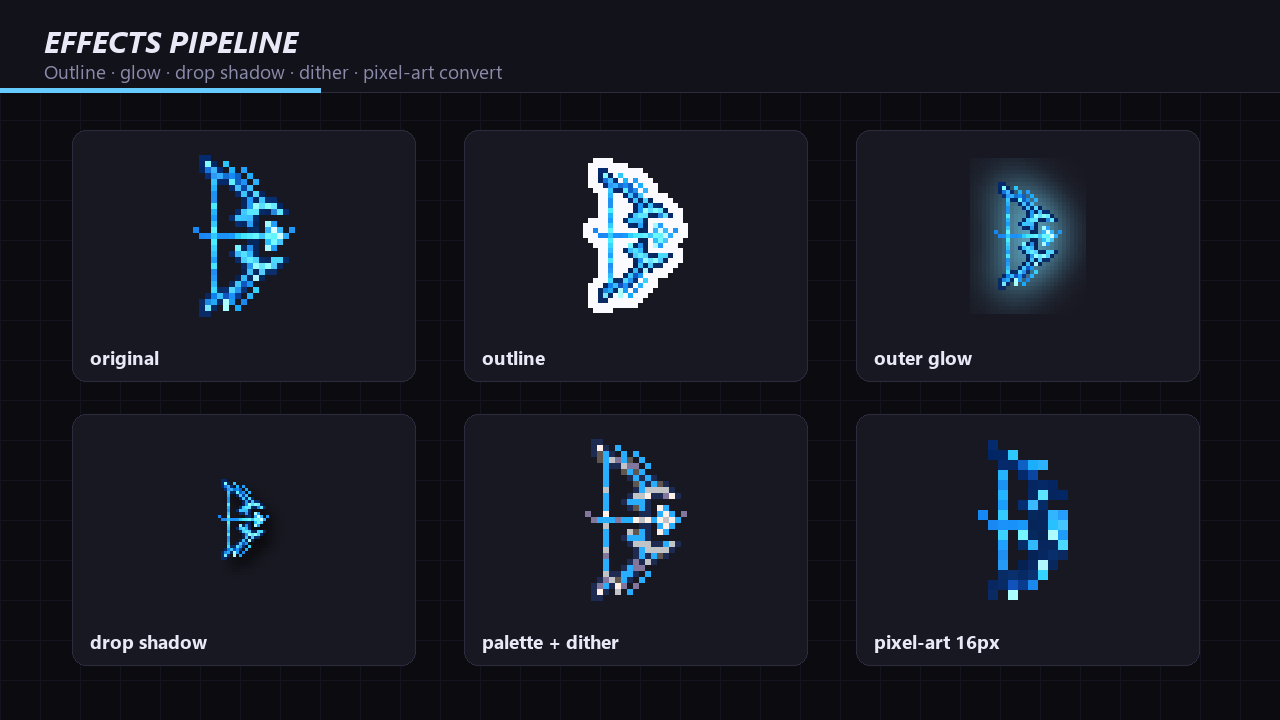
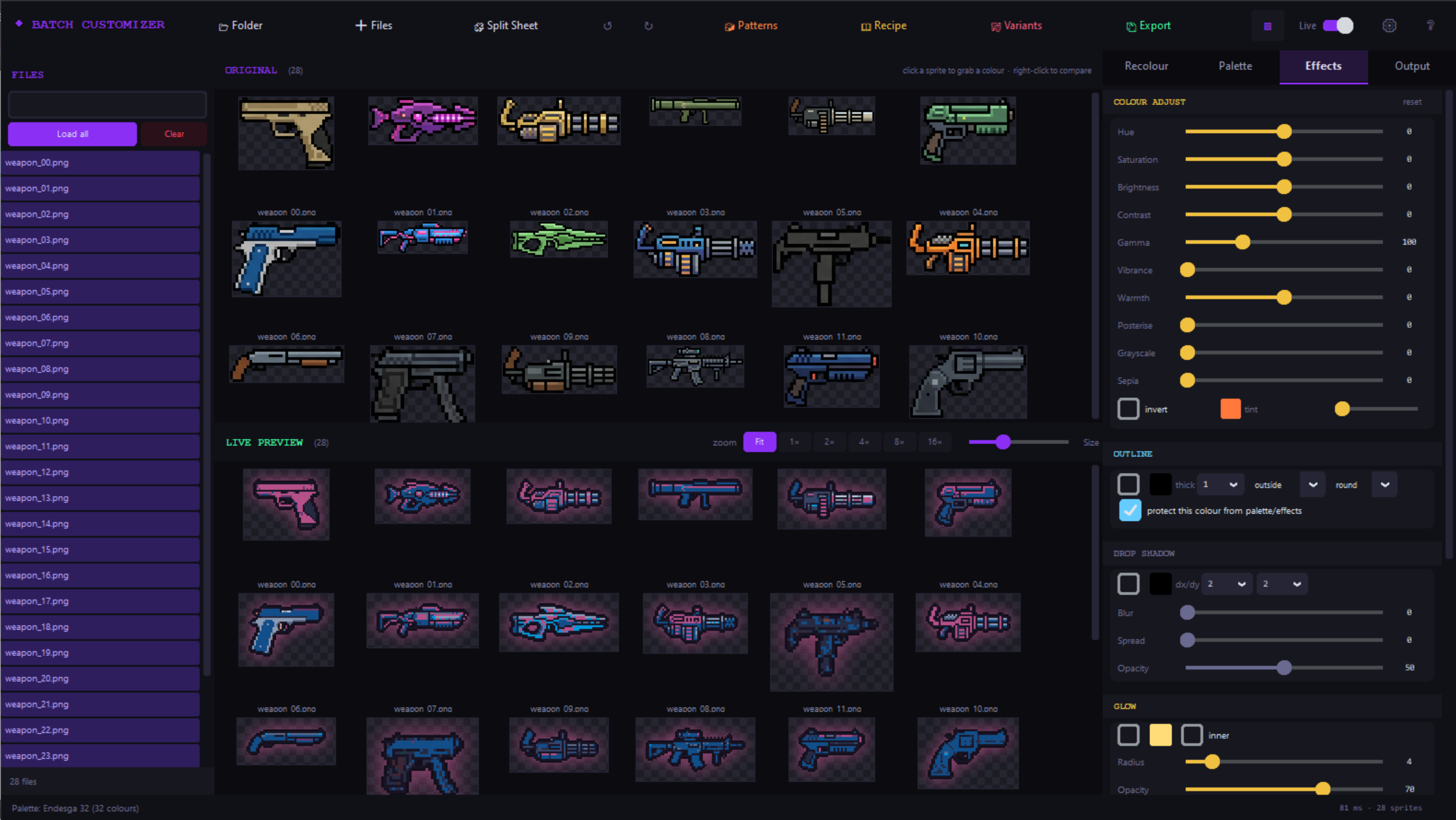
Effects. Outline (outside, inside or centred; round or square; colour lockable) · drop shadow with offset, blur, spread and opacity · outer and inner glow · background removal with feather and de-spill · alpha cleanup for sprites that arrive fuzzy · hue, saturation, brightness, contrast, gamma, vibrance, warmth, posterise, grayscale, sepia, tint and invert · gradient map with shading preservation.
Pixel-art conversion. Downscale to a real pixel-art resolution with average, dominant-colour or nearest sampling, hard alpha (no muddy semi-transparent edges), adjustable alpha cut and optional colour merging. 13 dithering algorithms — ordered Bayer, blue noise, Floyd-Steinberg, Atkinson, Burkes, Sierra, Stucki, Jarvis — and dithering can target your active palette rather than a flat level quantisation.
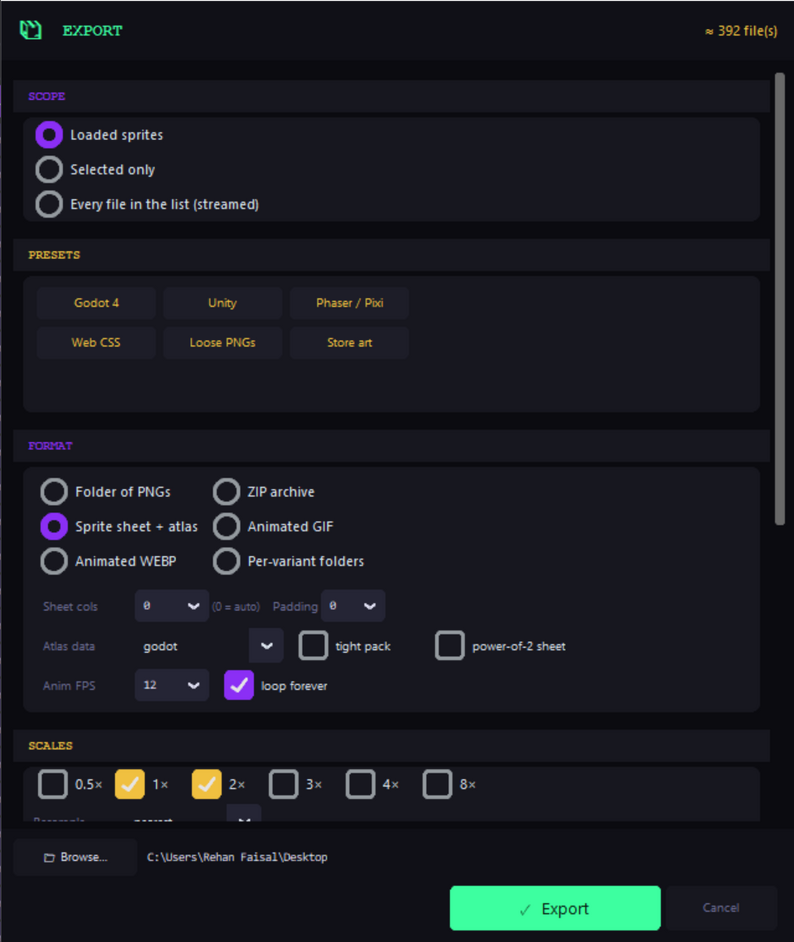
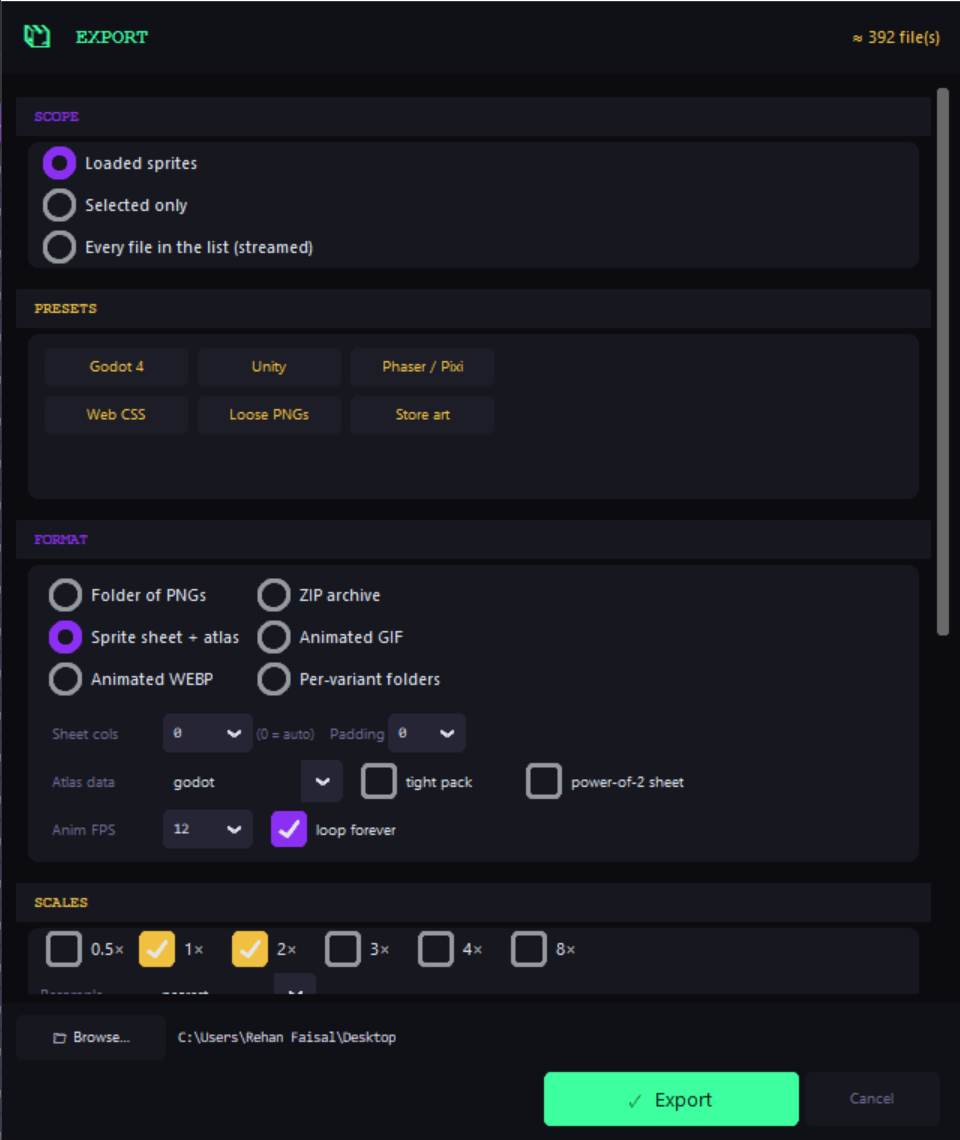
Output. Trim, pad, power-of-two, fixed canvas, scale, flip, rotate · multi-scale export (1×, 2× and 4× in one run) · sprite sheets with uniform or tight packing · atlas metadata for Godot, Unity, Phaser/Pixi, JSON, CSS or plain text · animated GIF and WEBP · ZIP archives · per-variant folders · one-click export presets · batch renaming.
Recipes and automation
Your entire pipeline — every mapping, effect, palette and variant — saves to a single .ebcp recipe file. Re-apply it to any folder later, or run it headless from a build script:
EasyBatchCustomizerPro.exe --recipe knight.ebcp --in sprites/ --out build/ --variants --scales 1,2 --sheet 8 --atlas godot
Built to actually work in
- Live preview across the whole batch — originals above, results below, updating as you drag a slider.
- Small pixel art is scaled up by whole numbers with nearest-neighbour, so 16px sprites are actually visible. Fit, or fixed 1× to 16× zoom.
- A 13-stage pipeline that caches every stage — nudging a late slider only recomputes what comes after it.
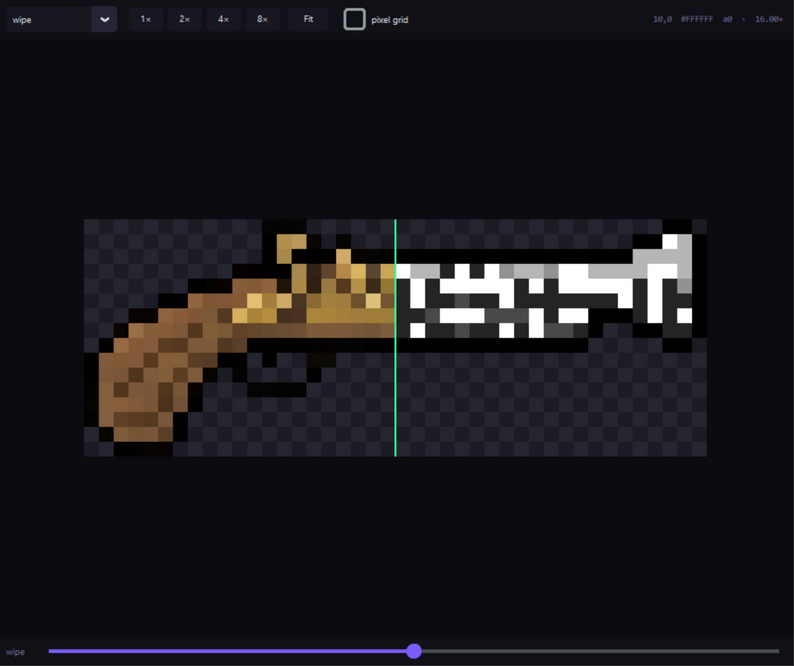
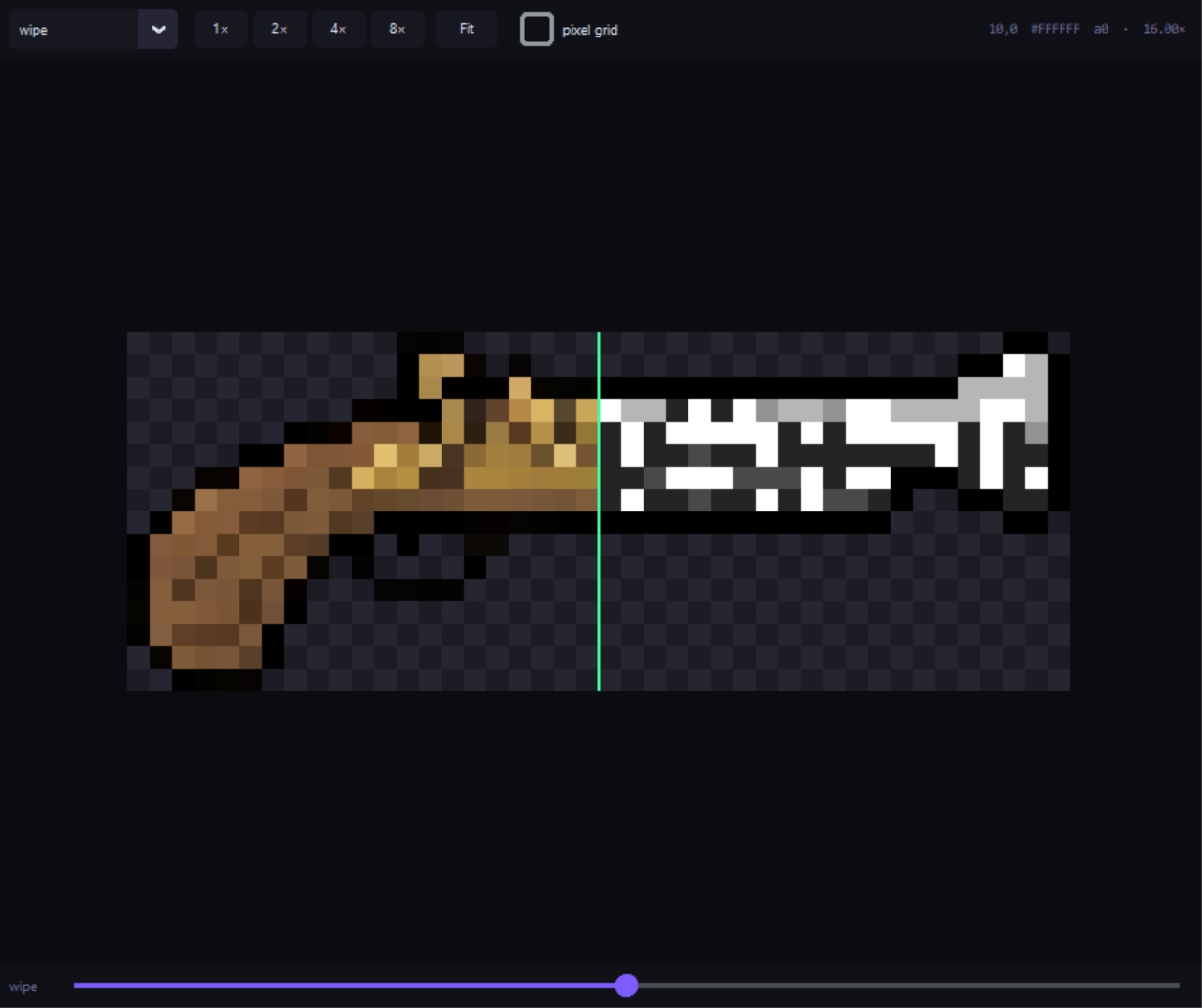
- Right-click any sprite for a before/after wipe with a pixel grid and per-pixel colour readout.
- Sprite sheet splitter — fixed grid, rows and columns, or automatic island detection.
- Batch report — sizes, colour counts and soft-edge warnings before they reach your engine.
- Undo and redo across the entire pipeline, plus autosave and crash recovery.
- 29 rebindable shortcuts, 8 accent colours, compact density and adjustable UI scale.
Who it's for
Anyone shipping sprite sets rather than single sprites: indie devs who need team colours or rarity tiers, asset-pack authors producing palette variations, jam teams conforming borrowed art to one palette, and anyone turning high-resolution or generated art into consistent, game-ready pixel sprites.
Not a drawing program. It won't replace Aseprite — it does the batch work Aseprite isn't built for, on art you've already drawn.
Specifications
| Platform | Windows, standalone .exe — no install, no Python needed |
| Reads | PNG, WEBP, BMP, GIF, JPG, TGA — including animated GIF/WEBP frames |
| Writes | PNG, ZIP, sprite sheets, GIF, WEBP, atlas JSON/CSV/TRES/CSS, palettes |
| Batch size | Hundreds of sprites; tested on 500+ in one session |
| Automation | Headless CLI with saved recipes, for build pipelines |
| Licence | Single user · commercial use of output allowed · no redistribution |
What's new in v4
v4 is a full rebuild, not a patch. Existing owners get it free.
New
- Palette Radar with shade grouping and colour locks
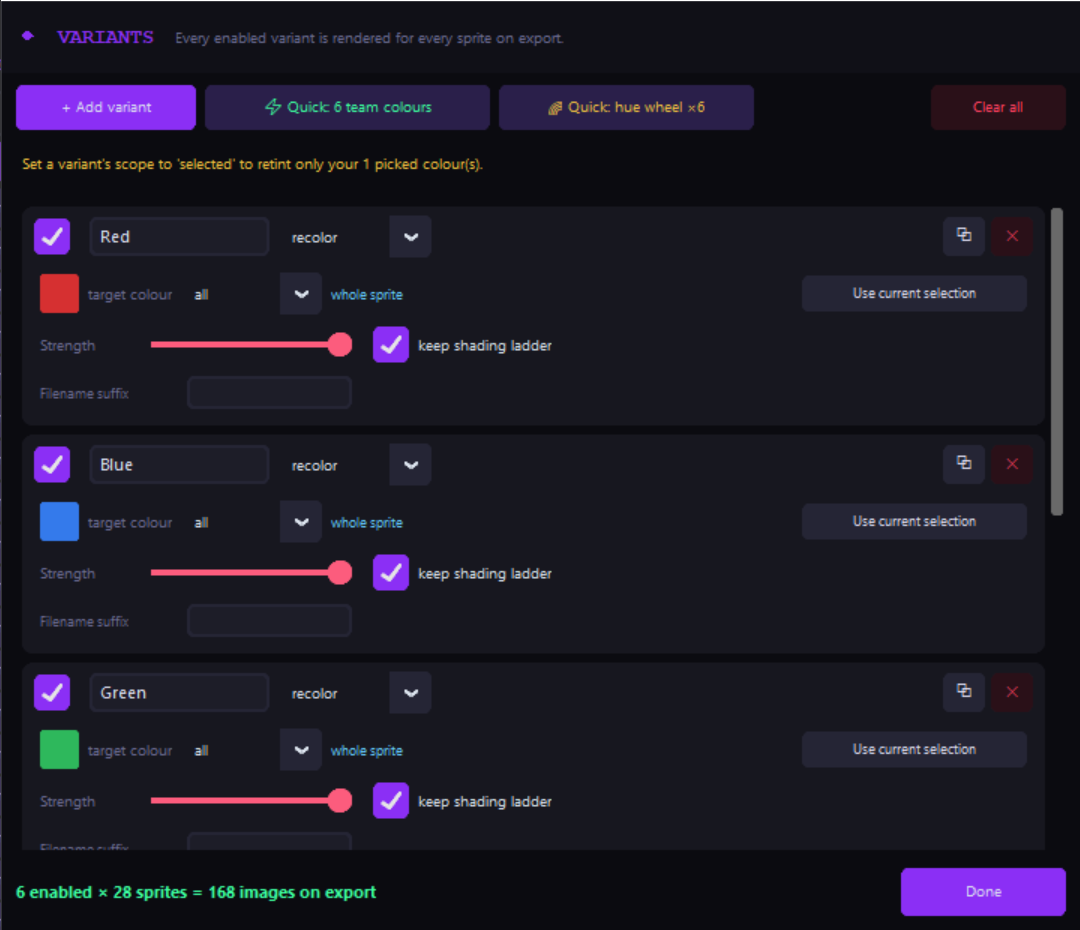
- Variant Generator — every colourway in one export
- Whole-sprite re-tint that keeps the shading ladder (works on anti-aliased art)
- 31 built-in tiling patterns with a live browser
- Shading-ramp and colour-harmony generators
- Drop shadow, inner and outer glow, background removal, alpha cleanup
- Trim, pad, power-of-two and multi-scale export
- Sheet packing with Godot / Unity / Phaser / CSS / JSON atlases
- Recipes — save a pipeline, re-apply it, or run it headless
- Batch report with soft-edge warnings
- 29 rebindable shortcuts, accent colours, density and UI scale settings
Faster
- Perceptual OKLab colour matching throughout
- Unique-colour lookup pipeline — large sheets remap many times faster
- Vectorised pixel-art conversion, rewritten sheet splitter, C-speed Floyd-Steinberg
- Stage caching, so moving a slider only re-runs what comes after it
- Proxy previews — the live view no longer processes full-resolution art
Fixed
- Small pixel art displayed at native size, which made it unreadable in the grid
- Preview columns now re-flow to the window instead of a fixed count
- UI no longer scales itself off-screen on high-DPI displays
Questions
Will it work on my art? If it's a PNG, yes. It handles flat pixel art and anti-aliased or high-resolution art — the re-tint path exists specifically for the latter.
Does it edit sprites? No. It's a batch processor, not a drawing program. Draw in Aseprite, batch here.
Can I use the output commercially? Yes, with no royalties or attribution.
Does it need Python or an internet connection? No to both. It's a standalone .exe and works offline — the only feature that touches the network is the optional Lospec palette import.
Will it overwrite my originals? Never. Everything is written to an export folder you choose.
Mac or Linux? Not currently — Windows only.
Where it's going
Everything above is in the version you'd buy today. The list below is the development direction, not a set of dated promises — plans change, and some of these may land differently or not at all. Buy it for what it does now; updates are free either way.
Also on the list
Got a feature you need? The roadmap follows what buyers actually ask for — leave a comment on this page or in the itch community tab.
Purchase
In order to download this tool you must purchase it at or above the minimum price of $8.99 USD. You will get access to the following files:
Leave a comment
Log in with itch.io to leave a comment.